
How do I upgrade a monthly-card room to a monthly subscription room?
What this guide covers
How to move from the old monthly-card room to a monthly subscription room, including free conversion, first-time activation, opening/ending a room, extending validity, and upgrading capacity.
You can close and recreate a monthly subscription room at any time. Ending a session closes that room only; subscription benefits stay on your account, and you can open again within the validity period without buying again.
Requirements and before you start
- DeBox is installed and you can open it.
- Entry: open VIP Card, then switch to the Monthly Room tab.
- Activation, extension, and capacity upgrades involve payment—verify amount, payment method, and network. Never share seed phrases, private keys, or PINs.
- Prices, tiers, and remaining days follow the live App; examples below are for illustration only.
When paying, verify amount and network. Never share seed phrases, private keys, or PINs.
Steps
1. Monthly-card room vs monthly subscription room
| Old monthly-card room | Monthly subscription room | |
|---|---|---|
| End an event | Cannot truly end the room; clear members, then set to private | Host taps End, then chooses End voice room to close the room and remove everyone |
| Start again | Keep using the same monthly-card room | Within validity, recreate a subscription room with no extra room-open fee |
| More seats / more time | Some actions need business support | Self-serve on the Monthly Room page |
Subscription benefits are tied to your account and validity period. Ending one room does not remove them.
Example: you bought a 3,000 people / 30 days plan. Close today and recreate tomorrow—still 3,000 concurrent users, same expiry.
Closing a room does not pause the timer or reset the validity period.
2. Free conversion from an active monthly-card room
If you have an active old monthly-card room:
- Open VIP Card → Monthly Room.
- Tap One-click convert to monthly room.
- Confirm capacity, remaining time, and Free this time, then tap Confirm conversion.
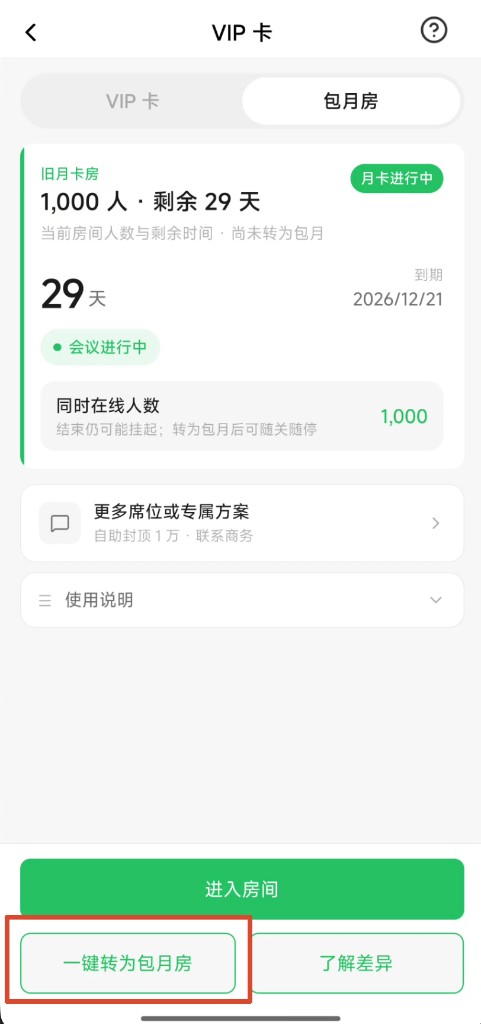
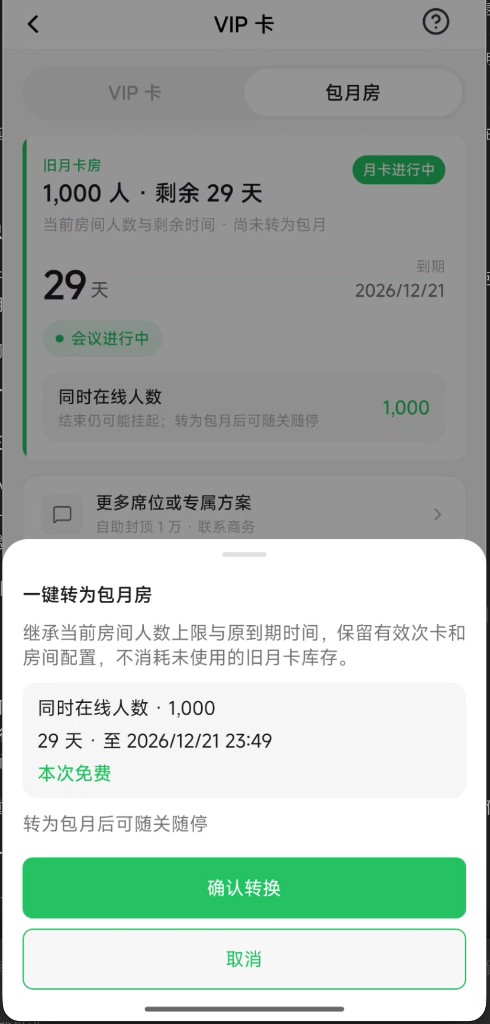
After conversion:
- Capacity and expiry stay the same.
- An ongoing meeting is not interrupted.
- Unused old monthly cards are not consumed.
Conversion does not grant a new 30 days. Unused old monthly cards without an active old room are not part of this free conversion.
3. First-time activation
Open VIP Card → Monthly Room, then tap Activate monthly.
Choose:
- Concurrent users: 1,000–10,000, in steps of 1,000.
- Days: 30, 60, or 90.
Pay the shown amount. You can create a room immediately or later.
Example: 1,000 people / 30 days = 1,000 USDT; 3,000 people / 30 days = 3,000 USDT. Final amount follows the App.
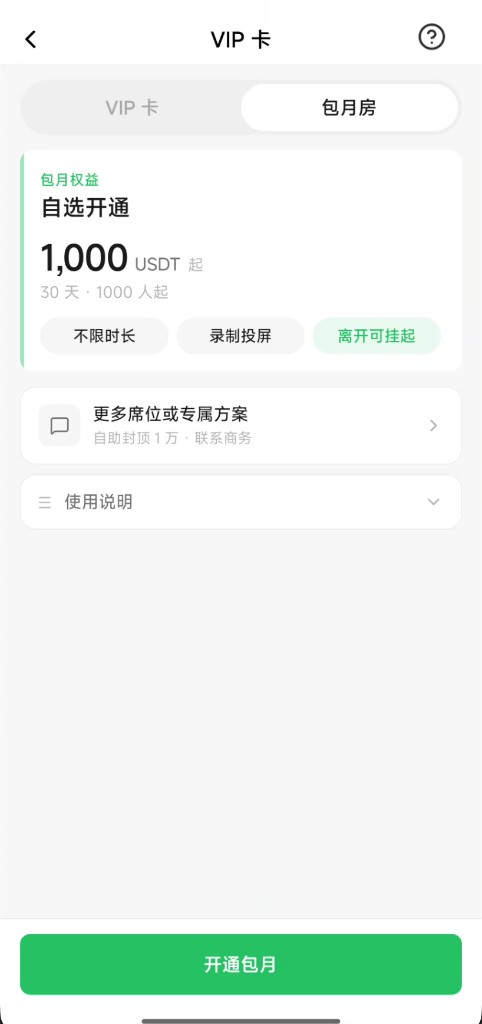
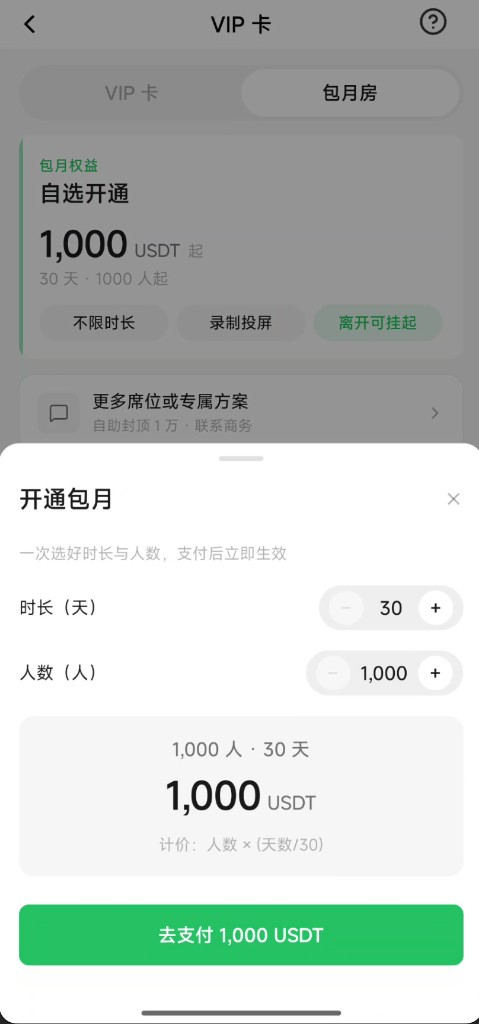
Validity starts after successful payment, even if you create the room later.
4. Open, end, and reopen
On the Monthly Room page:
- With active benefits and no ongoing room, tap Create monthly room.
- With an ongoing room, tap Enter room / Enter monthly room (follow on-screen copy).
The benefits card shows tier, remaining days, and expiry. An ongoing meeting shows Meeting in progress.
To end a session, the host taps End in the room, then chooses End voice room. Everyone is removed.
Next time, tap Create monthly room again. Within validity, each new room keeps current benefits—no repurchase.
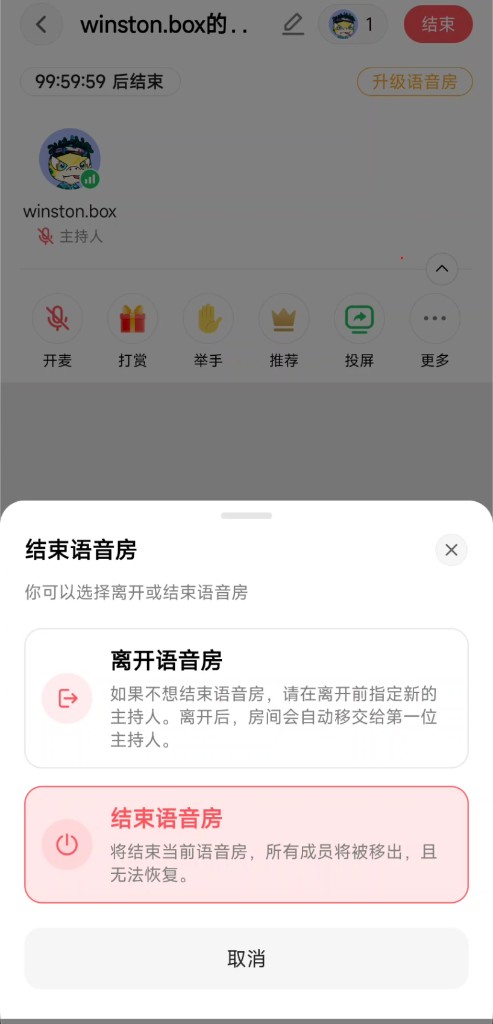
Do not confuse:
- Leave voice room: you leave; the room stays open (assign a new host if needed).
- End voice room: closes this session for everyone; it cannot be restored.
One account can have at most 1 ongoing monthly subscription room at a time.
5. Extend and upgrade capacity
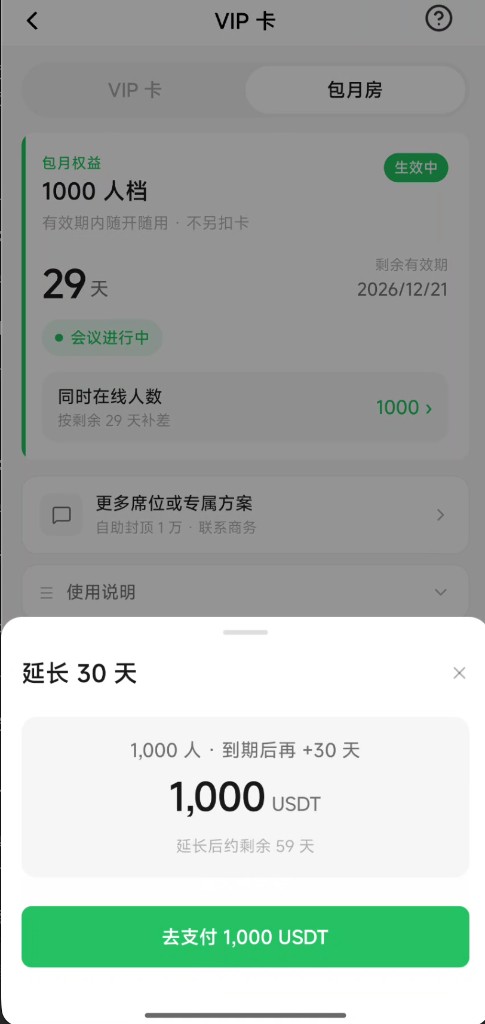
Need more time: Extend 30 days
On Monthly Room, tap Extend 30 days, confirm the fee, and pay.
Expiry moves forward by 30 days; capacity stays the same; an ongoing meeting is not interrupted.
Example: at the 3,000-person tier, extending 30 days costs 3,000 USDT. Remaining validity after extend is capped at 90 days.
Need more people: Upgrade capacity
On Monthly Room, tap Upgrade capacity (or open Concurrent online users), pick the target, confirm the fee, and pay.
The new concurrent limit takes effect immediately.
- 7+ days remaining: pay the capacity difference; expiry unchanged.
- Fewer than 7 days left (not expired yet): upgrading also extends 30 days; the sheet shows the combined fee.
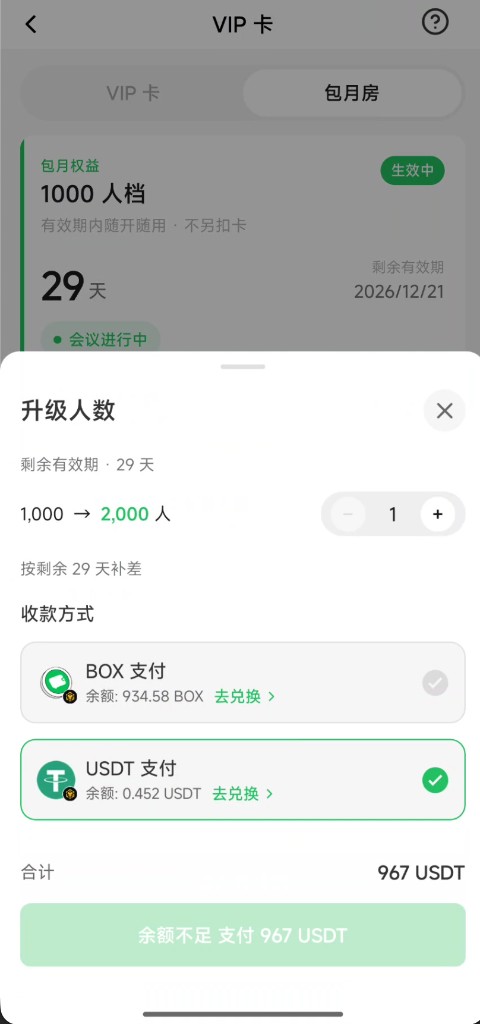
Proration follows added people and remaining full days—use the payment sheet. Upgrades only (no downgrade refunds) in the current cycle. Self-serve max is 10,000; contact business for more seats or custom plans.
FAQ
Do I keep benefits after ending a room?
Yes. Ending closes that session only. Account benefits and expiry stay. Within validity, recreate without buying again.
Does closing a room pause the timer?
No. Closing does not pause timing or reset validity.
Does free conversion grant another 30 days?
No. Capacity and expiry stay as they were; no new 30-day grant.
Can unused old monthly cards offset new fees?
No. They cannot offset activation, extension, or capacity-upgrade fees.
What happens when the plan expires?
An ongoing subscription room ends automatically. Extend before expiry if you need to continue.
Amount differs from this guide?
Trust the App payment sheet. If balance is low, exchange or switch payment method first.