
How do I use the Membership Center?
What this guide covers
Use the DeBox paid Membership Center: check status, subscribe or renew, manage auto-renewal, open the member backend, and view purchase history.
- This guide: paid membership tiers (Iron / Green / Gold).
- Account level / energy: see How do I use Level & Energy Center?—a separate system from membership tiers.
Tier comparison: What benefits do different membership tiers offer?.
Gifting: How do I gift DeBox membership to a friend?.
Requirements and before you start
- Membership Center: https://debox.pro/premium/ (or App Me—follow your build).
- Sign in to see status and purchase history; guests can usually browse benefits only.
- Payments are on BSC. Prepare:
| Item | Notes |
|---|---|
| A little BNB | Gas |
| USDT or BOX | Membership fee |
- Read and agree to the Membership Service Agreement before paying.
Membership involves on-chain approvals and charges. Auto-renewal only works after the required approvals. Never share seed phrases, private keys, or your PIN.
Steps
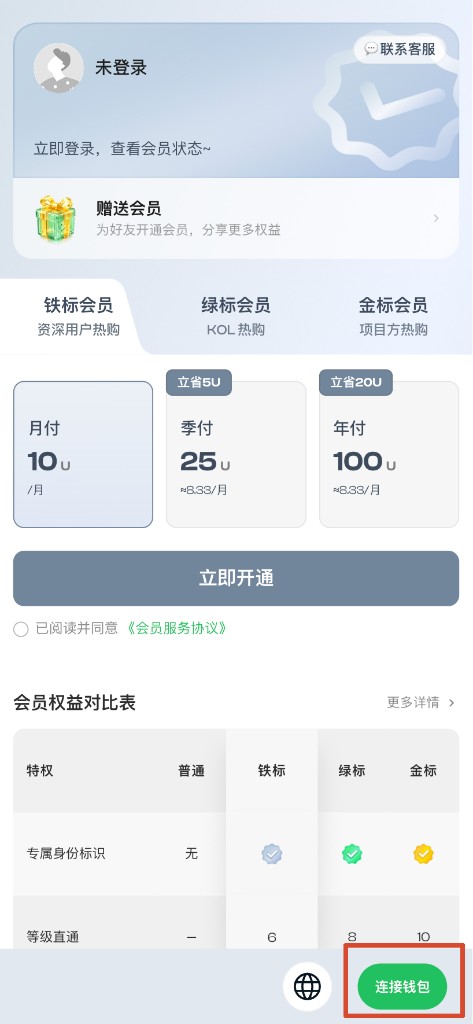
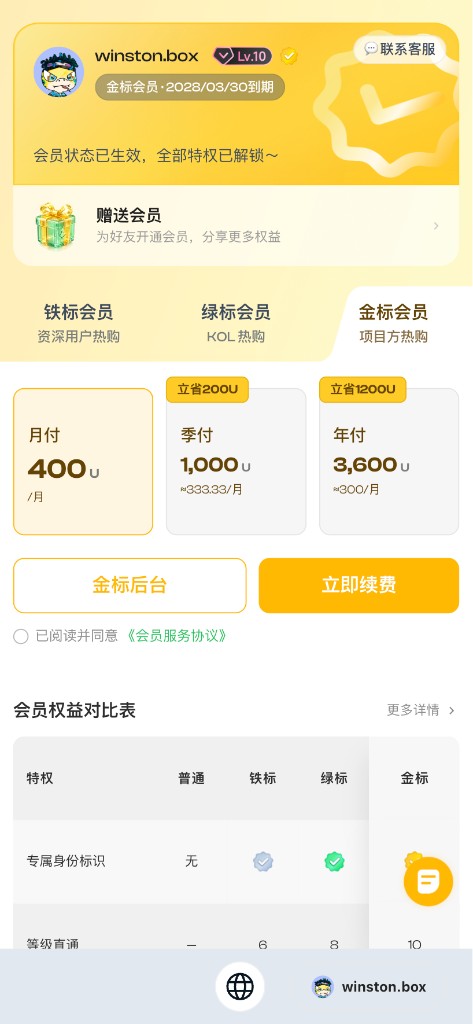
1. Check membership status
- Open the Membership Center.
- Sign in (e.g. Connect wallet).
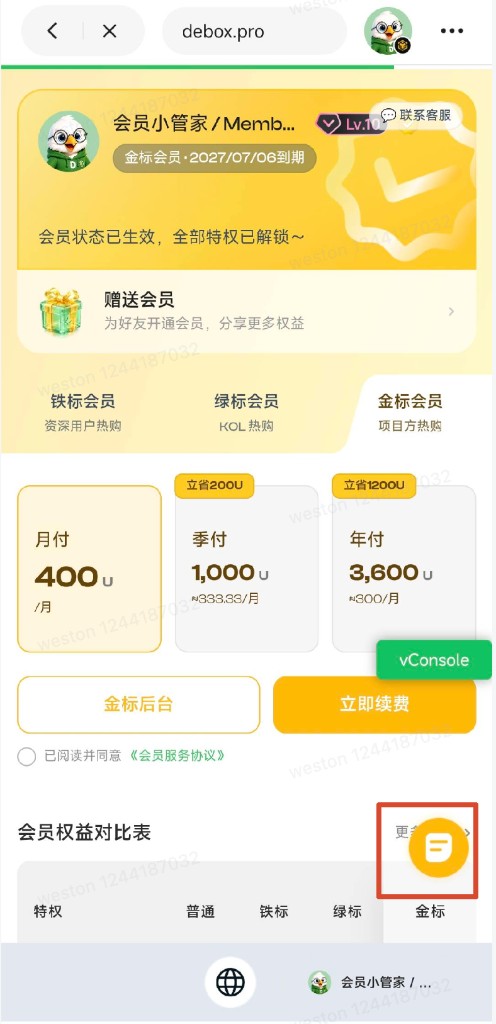
- At the top, check your avatar, nickname, tier, and expiry.
2. Compare the three tiers
- Switch among Iron / Green / Gold.
- For the full matrix, open More details or read What benefits do different membership tiers offer?.
- If numbers differ from the live page, follow the page.
| Tier | Intended audience (product copy) |
|---|---|
| Iron | Pros / power users |
| Green | KOLs |
| Gold | Projects |
3. Subscribe or renew
The pay sheet reminds you: BSC only—keep BNB for gas.
- Sign in to the Membership Center.
- Confirm status and expiry.
- Select a tier, then a plan (month / quarter / year—prices on the card).
- Agree to the Membership Service Agreement.
- Tap Subscribe or Renew.
- Choose USDT or BOX, confirm balances, and finish payment.
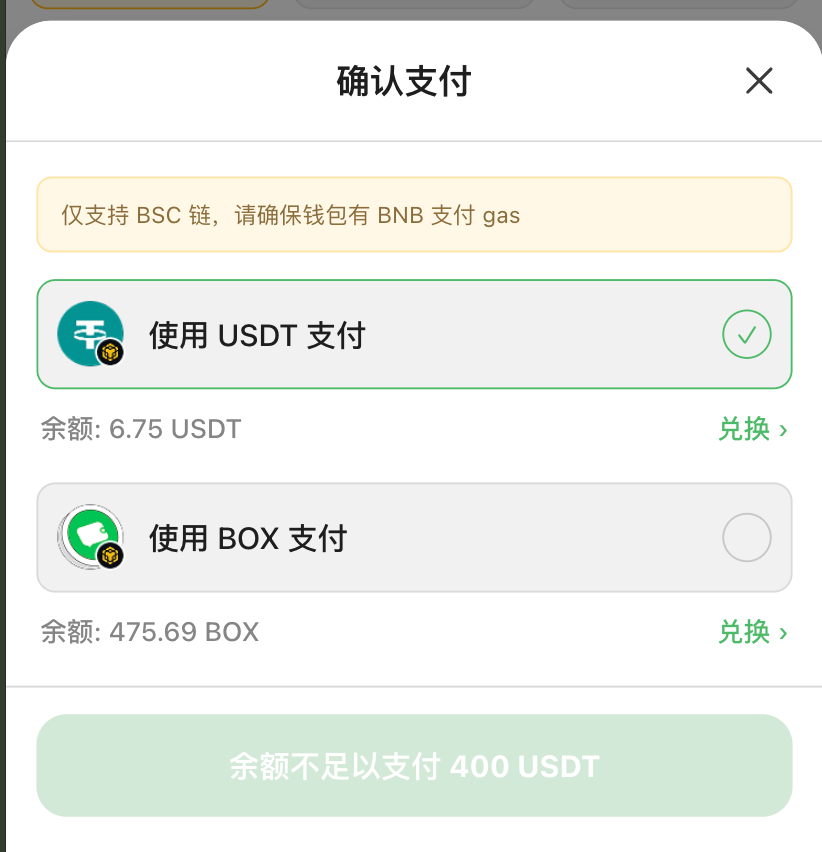
Use Swap > on the sheet, then retry—or ask a friend to gift membership.
You cannot buy a lower tier than your current one (e.g. Green cannot buy Iron).
4. Auto-renewal
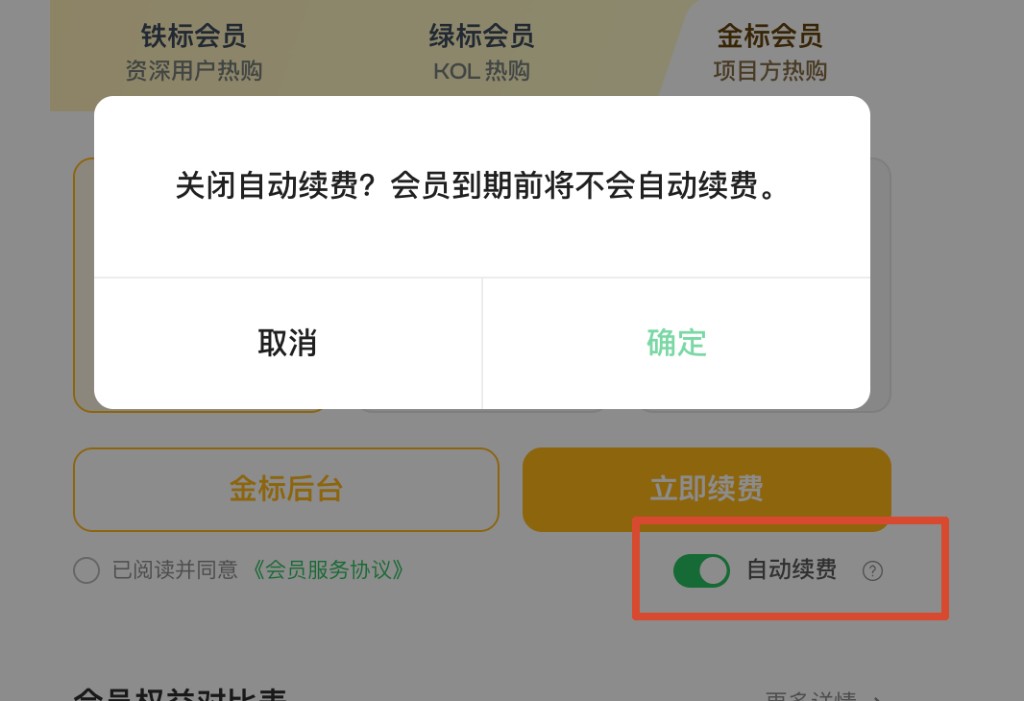
Visible when viewing your current tier; monthly plans only.
- Open your current tier page.
- Toggle Auto-renewal (tap the help icon for rules).
- Turning off requires a confirmation dialog.
Charge order before expiry: USDT → BOX (after approvals).
5. Member backend
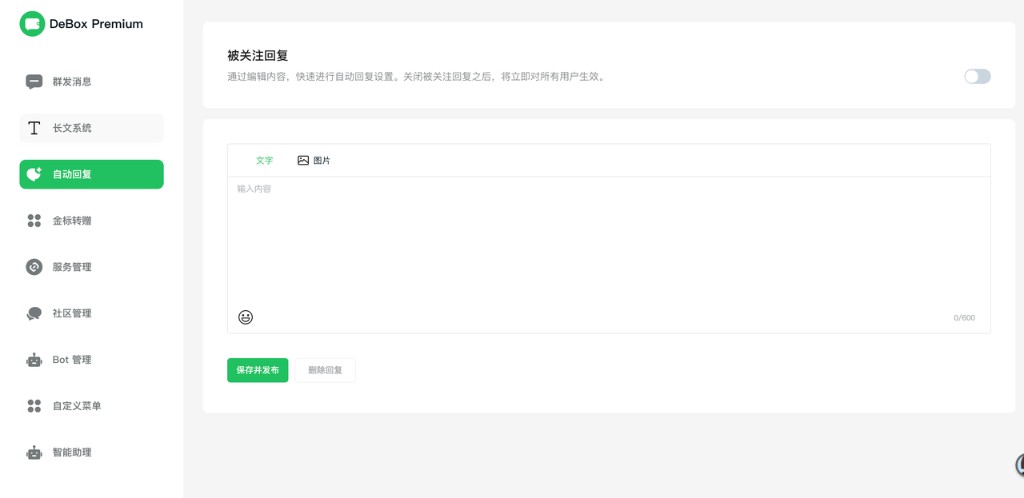
Green / Gold users on their current tier see Green backend or Gold backend.
- Open your current tier.
- Enter the backend for broadcast, long-form, auto-replies, community/bots (menus vary by tier).
6. Gift membership
Use How do I gift DeBox membership to a friend?. Entry: Membership Center Gift or gift page. Payments usually cannot be reversed—double-check the recipient.
7. Purchase history
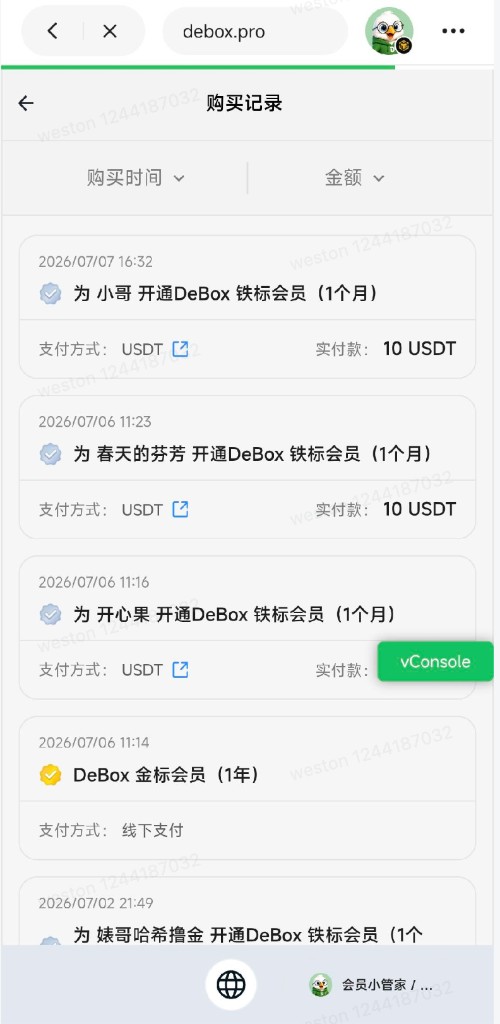
- Tap the draggable purchase-history icon (bottom-right).
- Review self-purchase and gift orders.
8. Contact support
Use Contact support on the membership card. Example card: https://m.debox.pro/card?id=sonwurxd (follow the live redirect).
FAQ
What do I need to subscribe?
USDT or BOX on BSC for the fee, plus a little BNB for gas.
Balance insufficient on the pay button?
Top up or swap the selected token, or switch payment asset.
Can I buy a lower tier?
No.
Renew / turn off auto-renewal?
Renew on your current tier with a plan and agreement. Auto-renewal is monthly-only; confirm when turning it off.
Membership vs account level?
Membership is a paid tier. Account level uses energy—see How do I use Level & Energy Center?.