
How do I subscribe to membership?
What this guide covers
Walks you through how to subscribe to membership with screenshots (and video). On-screen labels follow the current App.
Requirements and before you start
- DeBox is installed and you can sign in.
- Some actions require group owner or admin permissions, or follow on-screen prompts.
- For asset or payment actions, verify the network, amount, and recipient details. Never share your seed phrase, private key, or PIN.
Video walkthrough
You can play the video on this page. If it does not load, open the video in a new window.
Steps
Follow the screenshots in order (red boxes/arrows match the source tutorial):
1. Step 1
Complete step 1 using the screenshot below.
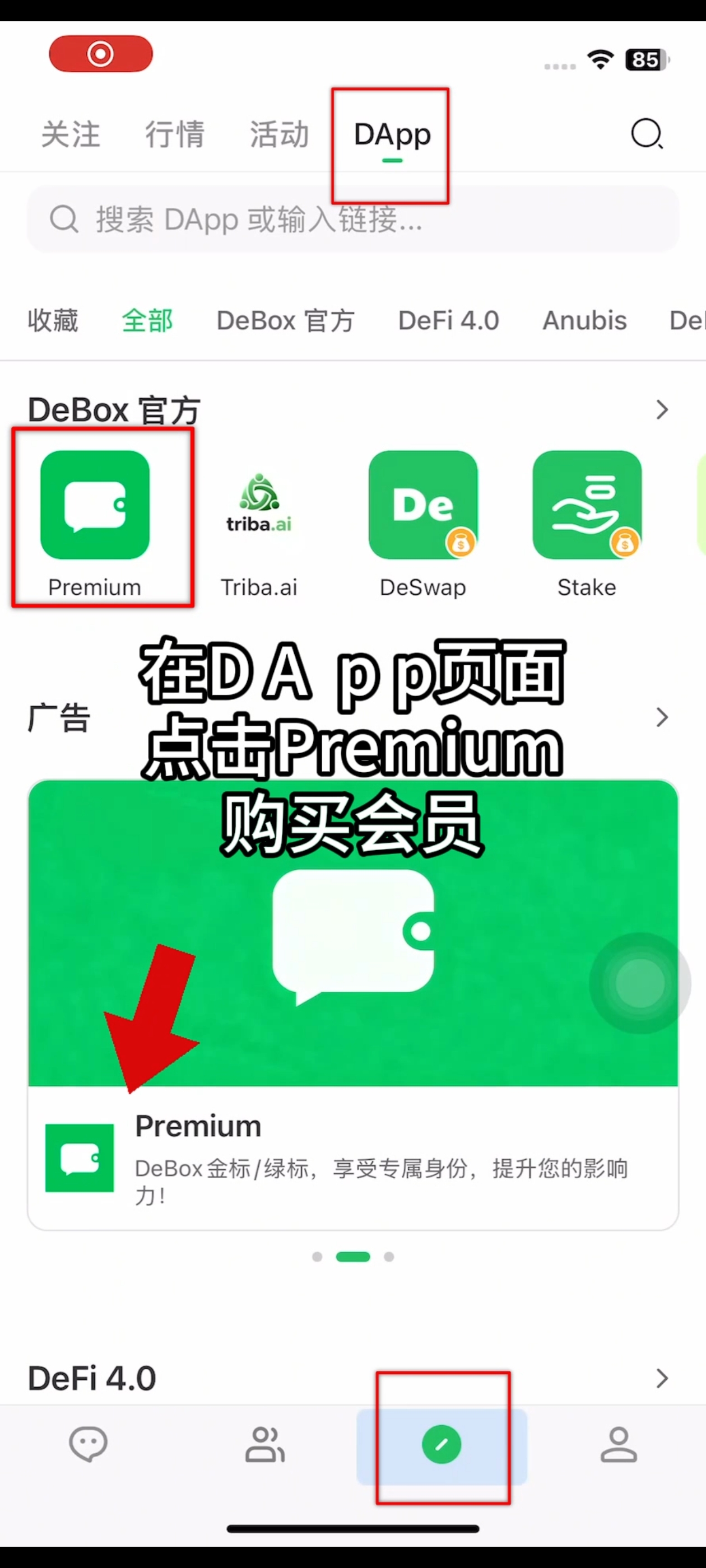
2. Step 2
Complete step 2 using the screenshot below.
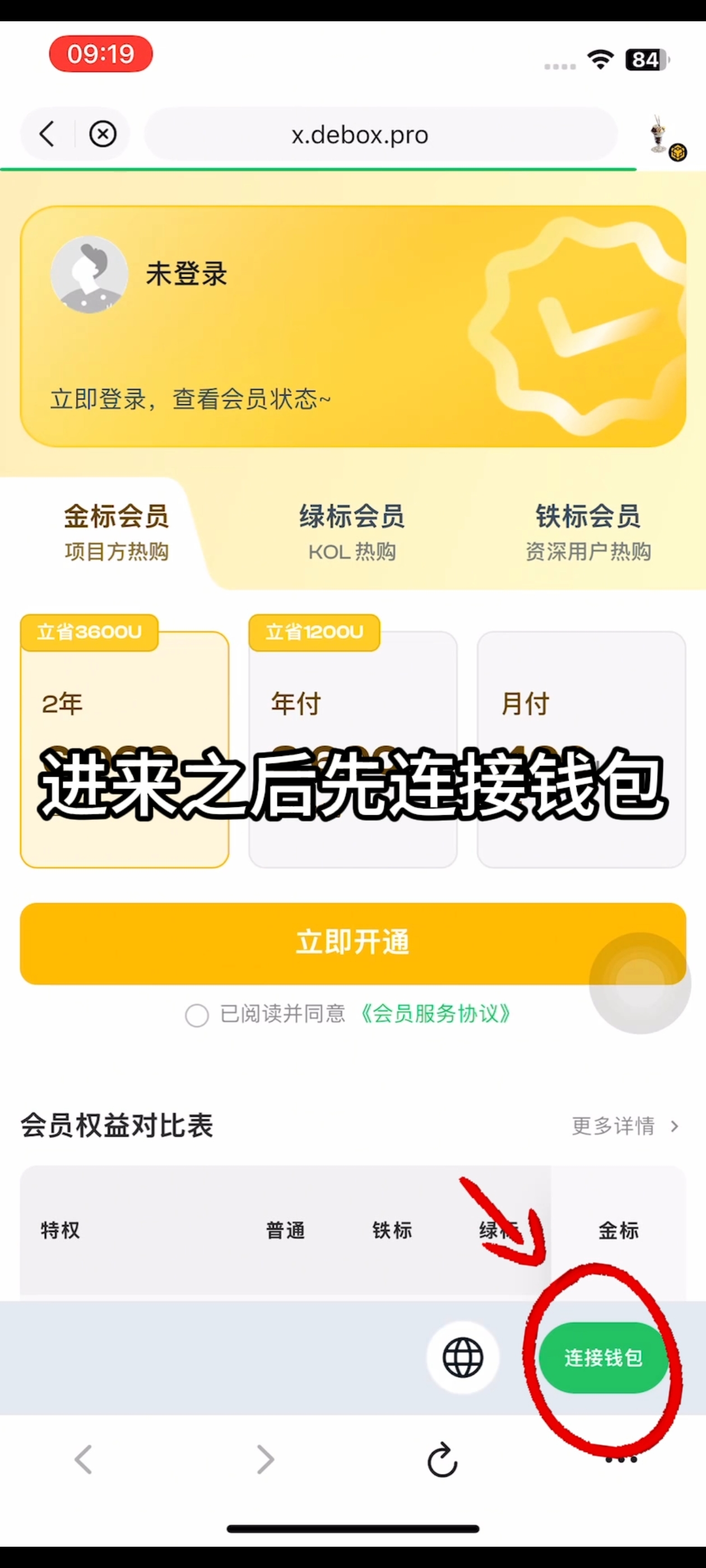
3. Step 3
Complete step 3 using the screenshot below.
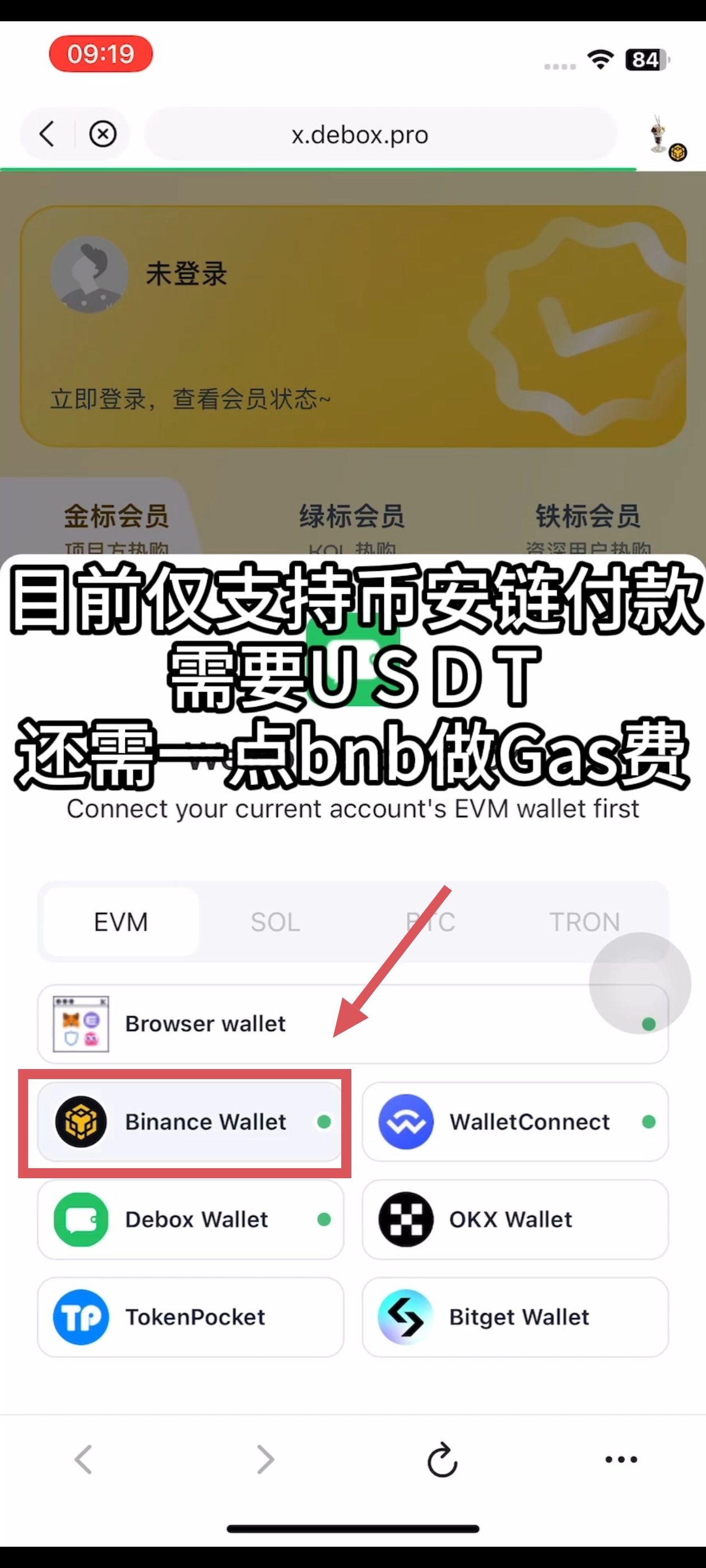
4. Step 4
Complete step 4 using the screenshot below.
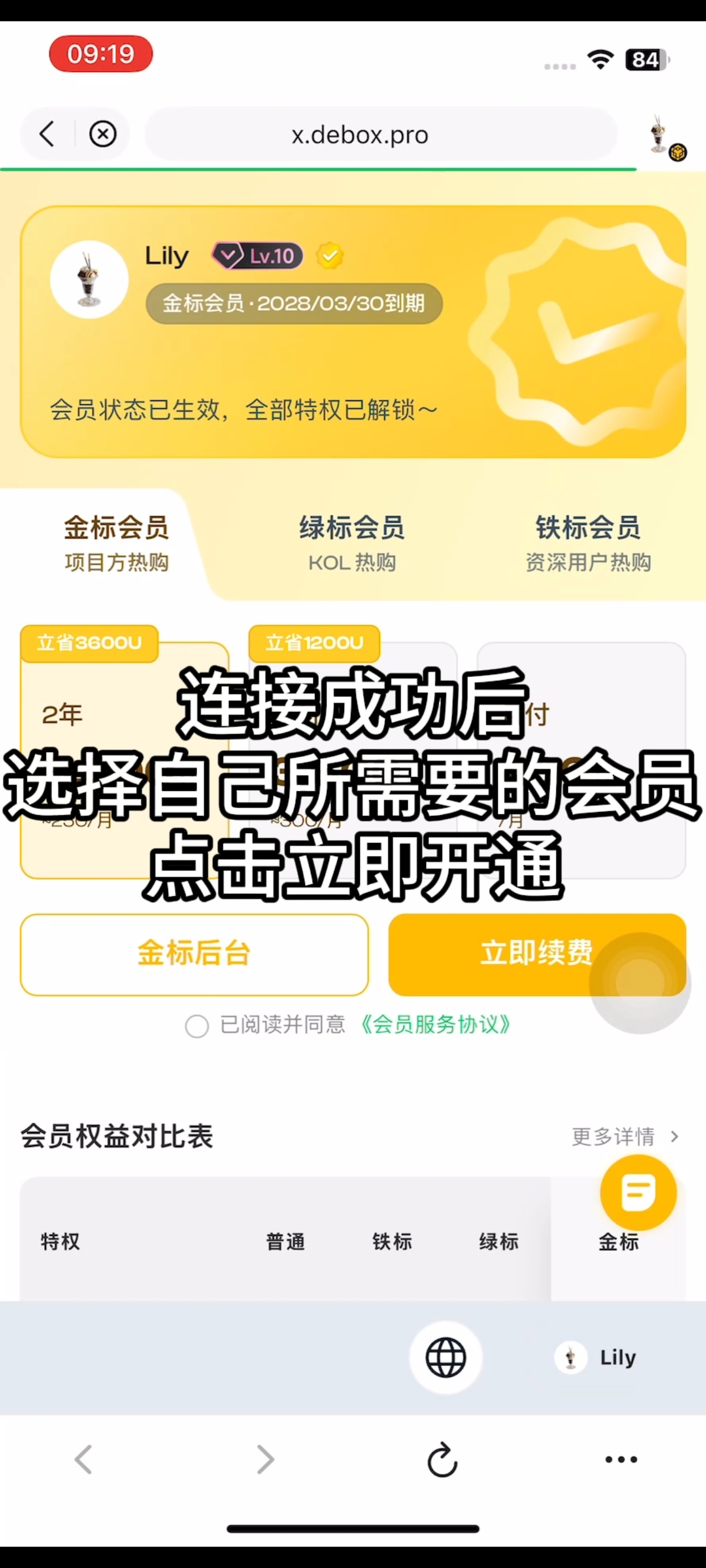
5. Step 5
Complete step 5 using the screenshot below.
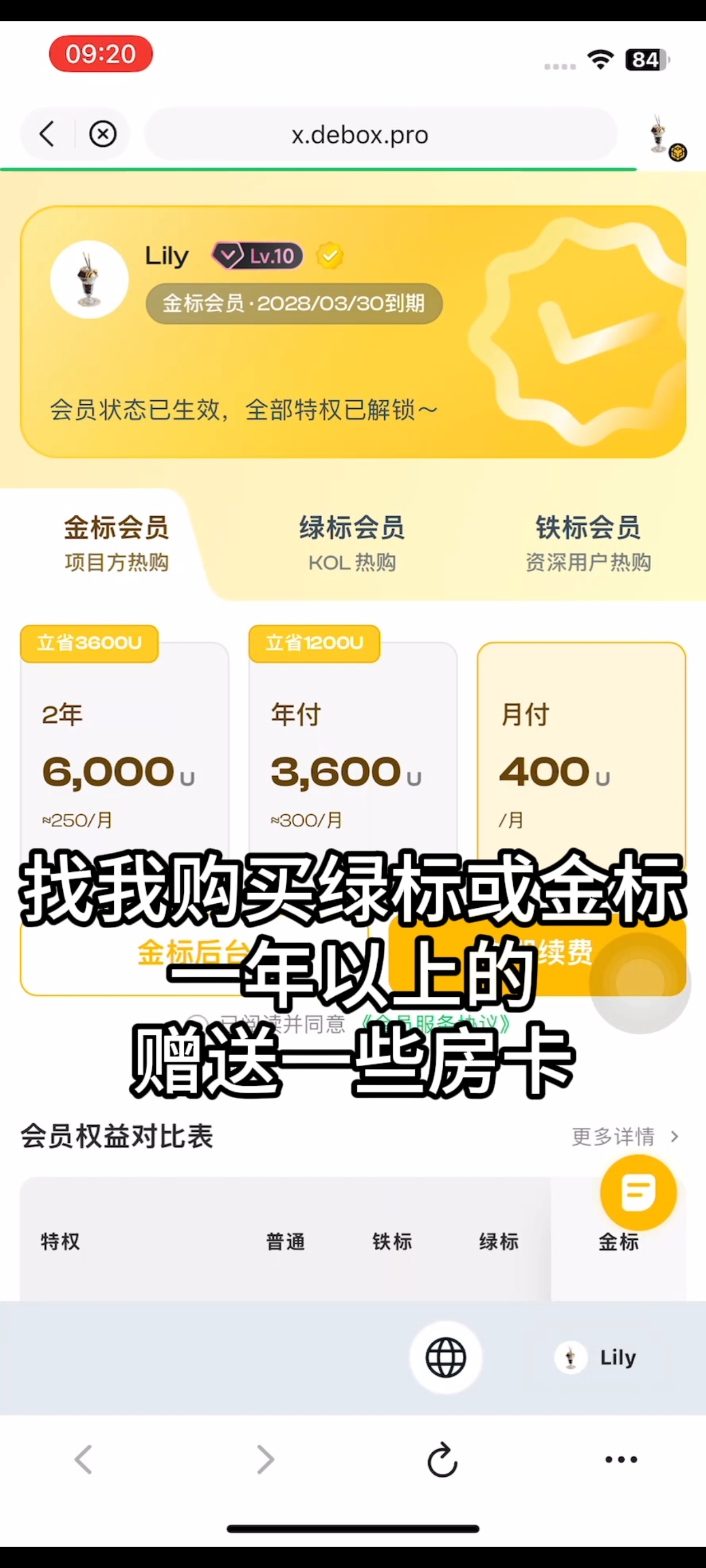
6. Step 6
Complete step 6 using the screenshot below.
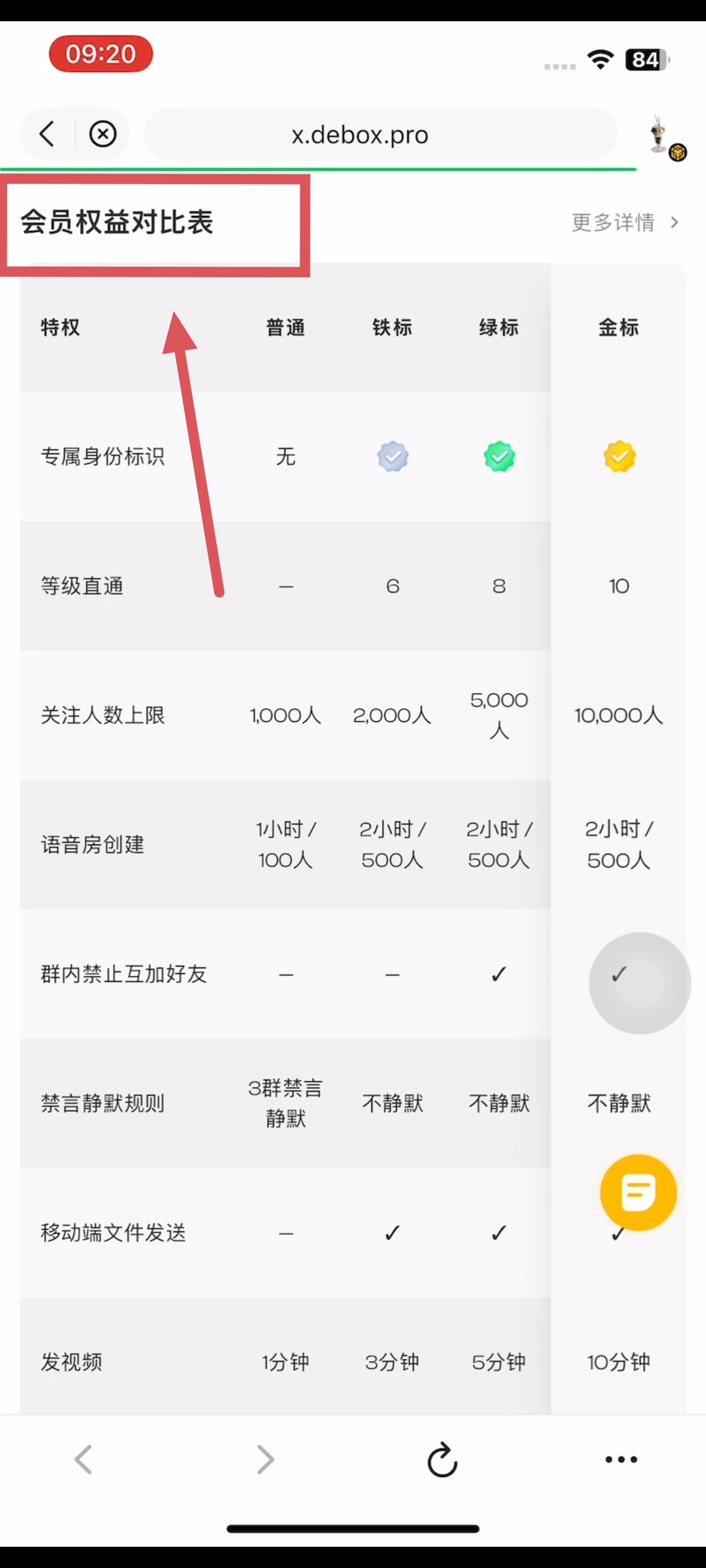
Common questions
Can't find the entry?
Menu names may vary slightly by version. Use the current App as the source of truth, or watch the video walkthrough to locate the entry.
Don't have permission?
Group management actions usually require the group owner or an admin. For asset/payment actions, confirm you are signed in with the correct wallet account.
Related guides
- What benefits do different membership tiers offer?
- DeBox Membership Center guide
- How do I upgrade my account level?
Review notes
Migrated from the public article How to subscribe to membership. Step screenshots are hosted from the same source; personal support QR codes were removed. pending-human-review.