
How do I upgrade my account level?
What this guide covers
Helps you upgrade your account level: find the Level Energy entry, check in daily and earn Energy, then tap upgrade in Energy Center. For earn tasks, protection, decay, paid upgrade, history, and leaderboard, see the full guide: How do I use Level & Energy Center?.
Requirements and before you start
- You are signed in to DeBox.
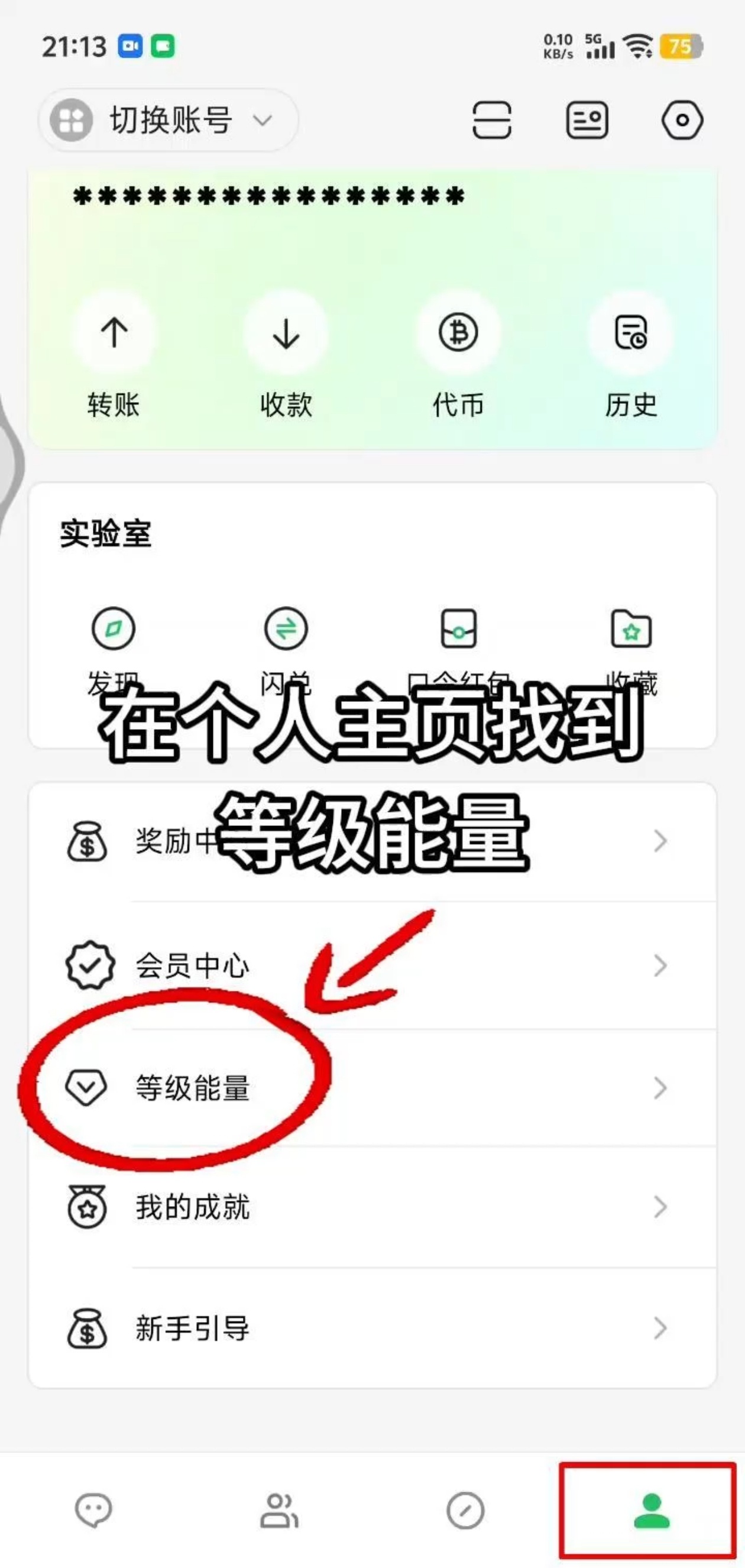
- Entry path: bottom Me → Level & Energy (opens Energy Center).
- Upgrading requires available Energy; if you do not have enough, check in or complete earn-Energy tasks first.
- Values in this guide (e.g. check-in +2, consumption amounts for some actions) follow the live page and Rules page.
Video walkthrough
Steps
1. Open Level & Energy
- Open DeBox and go to bottom Me.
- In the feature list, tap Level & Energy.
- You arrive at the Energy Center home page.
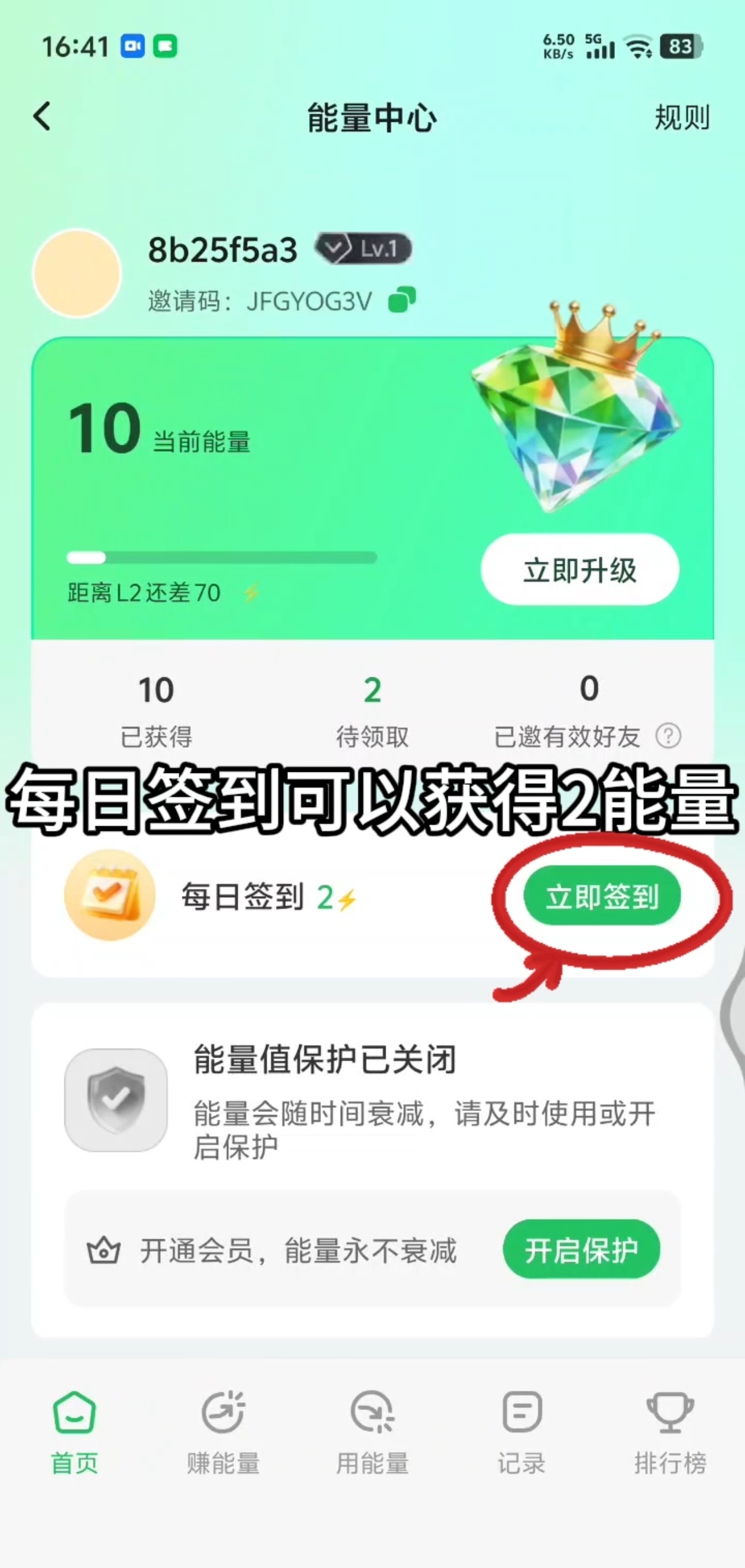
2. Check in to earn Energy and prepare to upgrade
- On the Energy Center home page, review your current Energy, level, and how much more you need for the next level.
- Find Daily check-in and tap Check in now (if already checked in, it may show Checked in today). Product examples often grant a fixed amount of Energy per day.
- When you have enough Energy, tap Upgrade now on the home page and follow the prompts to spend Energy and upgrade.
- If Energy protection is off, tap Enable protection on the page to learn about membership no-decay benefits (see the membership guide).
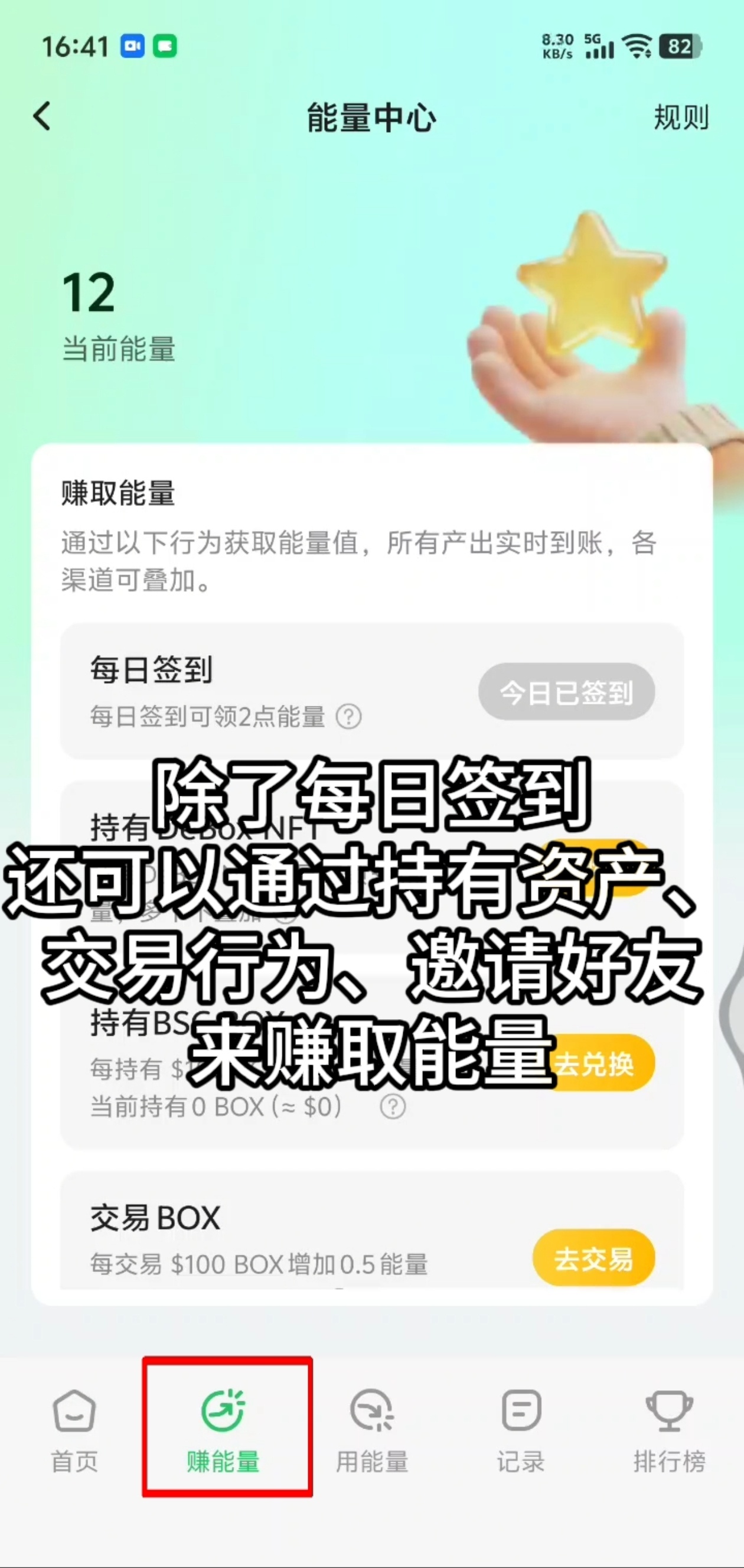
3. Earn Energy in more ways
If check-in alone is not enough, switch to bottom Earn Energy:
- Review the Earn Energy task list.
- Common ways include: daily check-in, holding DeBox NFT / BOX, trading BOX, inviting valid friends, and more (names and rewards follow the list).
- Tap Go hold / Go trade / Go complete and follow the flow; return to Energy Center to claim when ready.
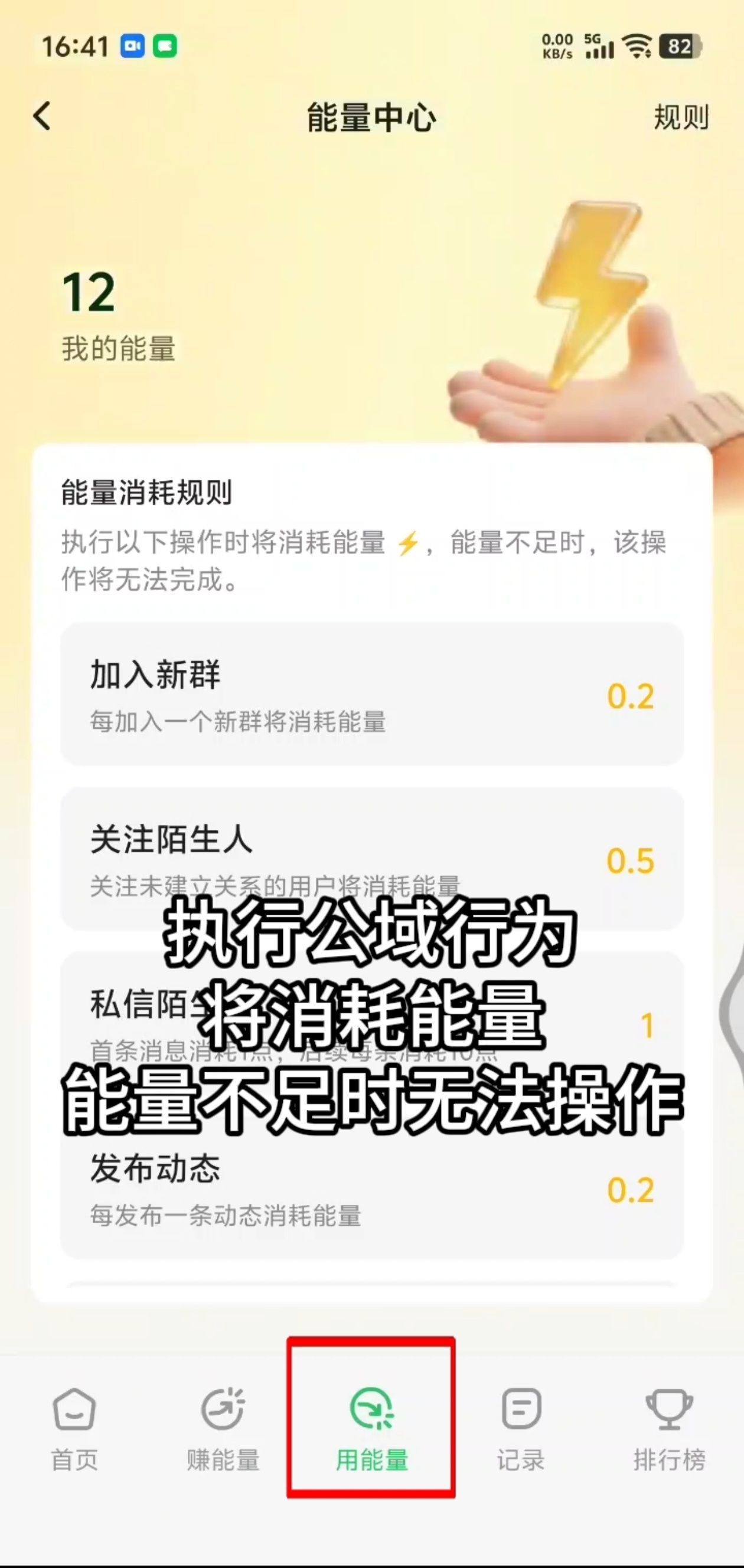
4. See where Energy is spent
Switch to Use Energy to review Energy consumption for public actions. If Energy is insufficient, those actions may not complete. Examples include: joining a new group, following strangers, messaging strangers, posting moments, and more (exact costs follow the page).
Upgrading itself spends Energy in the Upgrade now flow on the home page; Use Energy mainly helps you understand daily spending so Energy is not used up unexpectedly.
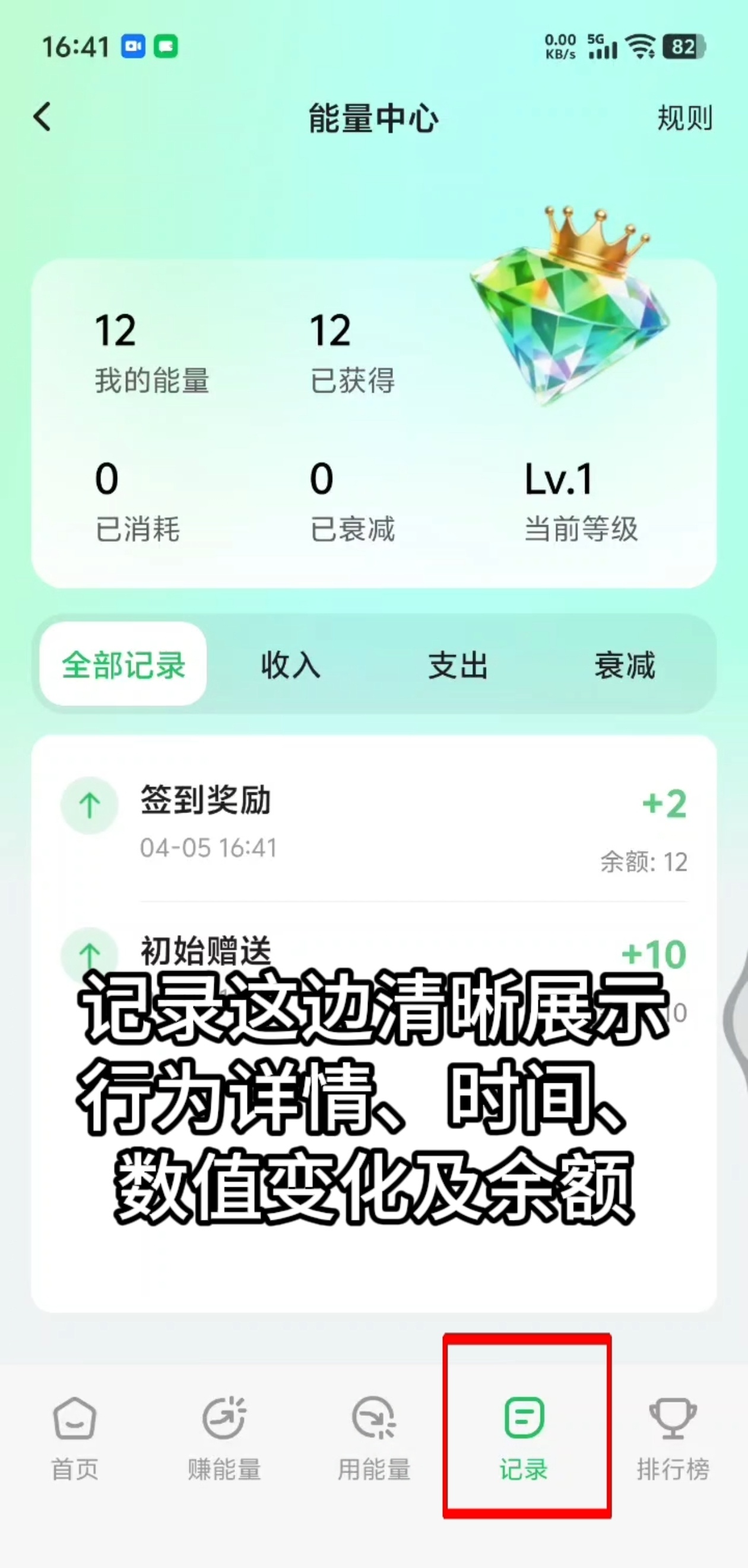
5. Verify changes in Records
Switch to Records and filter by All / Income / Expense / Decay to review action details, timestamps, value changes, and balance—useful to confirm check-ins, upgrades, and other transactions.
Common questions
I tapped Upgrade now but my level did not change?
Common causes: not enough available Energy, or minimum spend not met. Check in or complete tasks to earn more Energy, then check Records for a matching expense entry.
Why does my Energy decrease on its own?
Decay may apply when not in protection mode. Check protection status on the home page, or subscribe to membership for protection. See How do I use Level & Energy Center? and How do I use the Membership Center?.
Want to pay to raise level directly?
Some versions offer Level Boost (on-chain payment). Rules and limits follow the Energy Center page—see the corresponding section in the Energy Center guide.