
How do I use DeBox coupons?
What this guide covers
Explains how to buy, check balances, use, and gift DeBox coupons in the App, and how to view purchase / use / gift / receive history in Transaction history.
Four coupon types are supported: Membership coupon, Energy card, Group rename card, and Upgrade card. Each grants different benefits; most apply immediately after use (group rename requires choosing a group and entering a new nickname).
Requirements and before you start
- DeBox App is installed and you can sign in.
- Buying coupons requires USDT or BOX payment and wallet signatures. Confirm balance and network first.
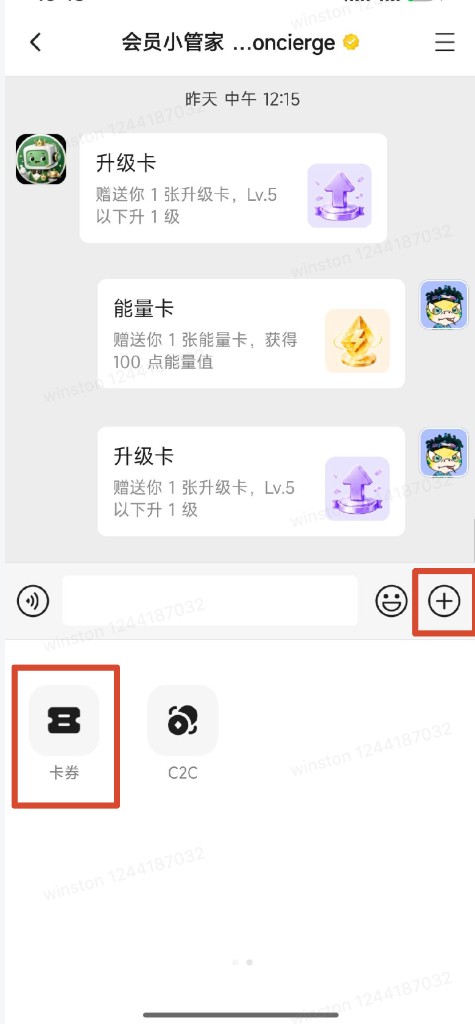
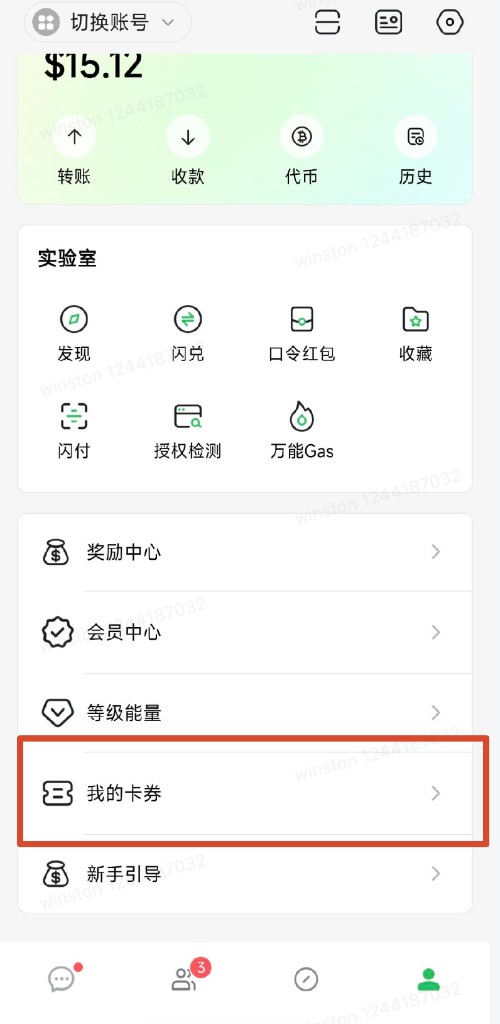
- Android entries: in a DM, tap + then Coupons; or open Me → My coupons.
- iOS is different: open Discover → All or DeBox Official → My coupons. You can also paste
debox://rn/voucher/homeinto a chat, send it, tap the link, then add it to Discover Favorites. - After opening the module, look for My coupons or Select coupon.
Confirmed in the current App: purchase and friend gifts. If you see points exchange or link-claim copy elsewhere but no matching screen in your App, this guide does not cover that path.
How to find coupons
Android and iOS use different entries. After opening the module, look for My coupons or Select coupon.
Android
- DM: open any DM → tap + → tap Coupons.
- Me page: open Me → tap My coupons.
iOS
On iOS, use Discover or a chat link (there is no Me → My coupons entry like Android).
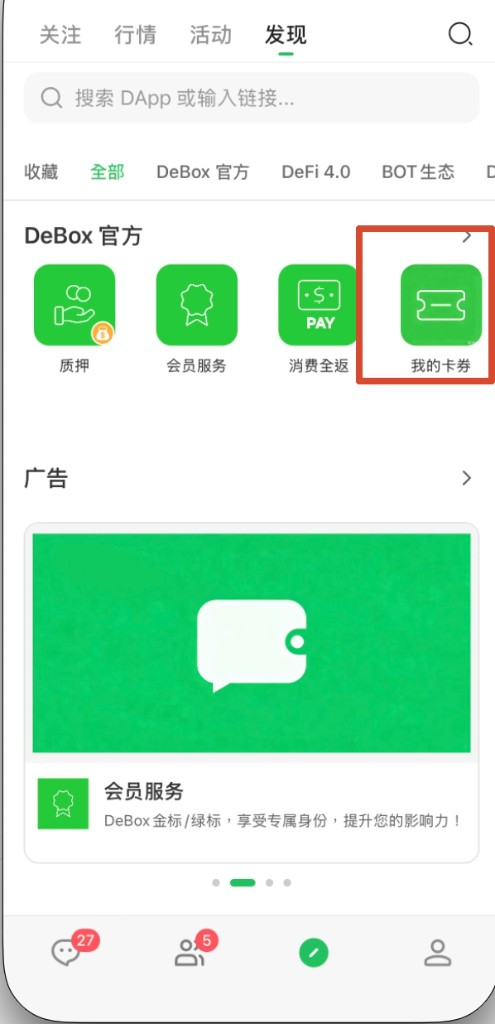
Option 1: Discover (recommended)
- Open the bottom Discover tab.
- Select All or DeBox Official at the top.
- In the DeBox Official group, tap My coupons (green ticket icon).
Option 2: Paste the link in chat
- Copy
debox://rn/voucher/home - Paste it into any chat input and send.
- Tap the link to open My coupons.
- For next time: go back to Discover, find My coupons, and add it to Favorites. Then open it from Discover → Favorites.
After adding Favorites, you don’t need to hunt in DeBox Official or paste the link every time.
Common screens after entering the module:
| Screen title | Purpose |
|---|---|
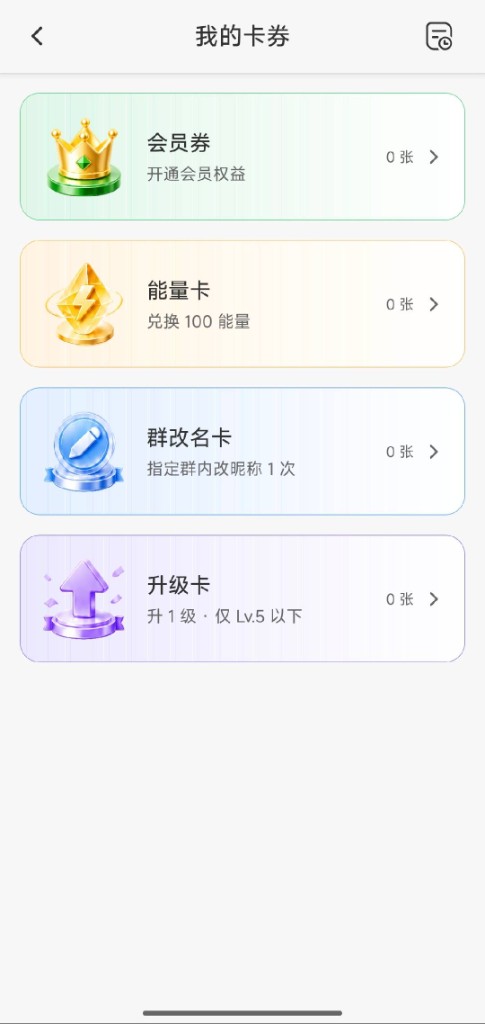
| My coupons | View counts for four coupon types; tap for details |
| Select coupon | Pick a type, then open My coupons or start a gift |
| Coupon details | Energy / rename / upgrade coupon details and actions |
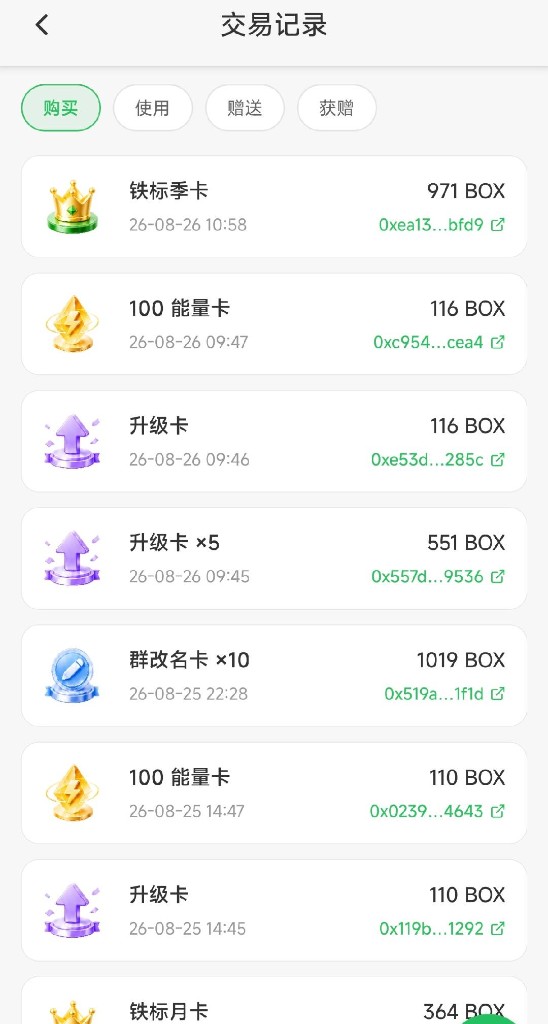
| Transaction history | Purchase, use, gift, and receive records |
Check your balance
- Open My coupons.
- Review the four coupon cards and “X cards” on the right (shows 99+ when over 99).
View history
- On My coupons or Coupon details, tap the history icon (top right).
- Open Transaction history.
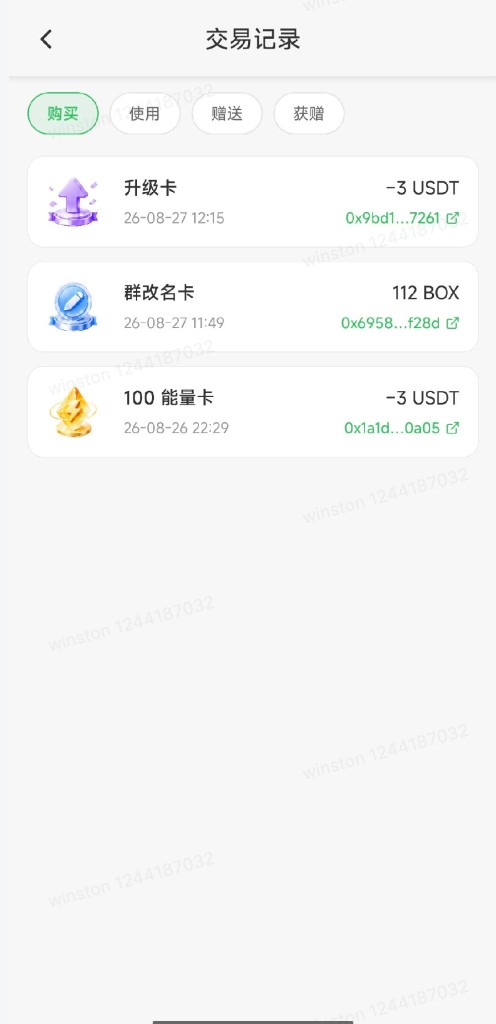
- Switch Purchase, Use, Gift, or Received tabs at the top.
How to get coupons
Option 1: Purchase
Membership coupons
- Open the membership coupon list, or My coupons → Membership coupon.
- Tap Buy membership coupons now at the bottom.
- In the purchase sheet, choose Iron or Green tier.
- Choose term: monthly, quarterly, or yearly (reference prices: Iron 10U / 25U / 100U, Green 40U / 100U / 360U; pay the amount shown in the sheet).
- Set quantity (1–99).
- Choose payment: USDT or BOX.
- Tap Pay … and complete the wallet signature.
- Wait for on-chain confirmation until you see Payment successful or Coupons credited.
Energy / group rename / upgrade cards
- Open the Coupon details page for that type.
- Tap Buy energy cards now, Buy group rename cards now, or Buy upgrade cards now.
- Set quantity and payment (USDT or BOX).
- Pay and sign; wait for credit.
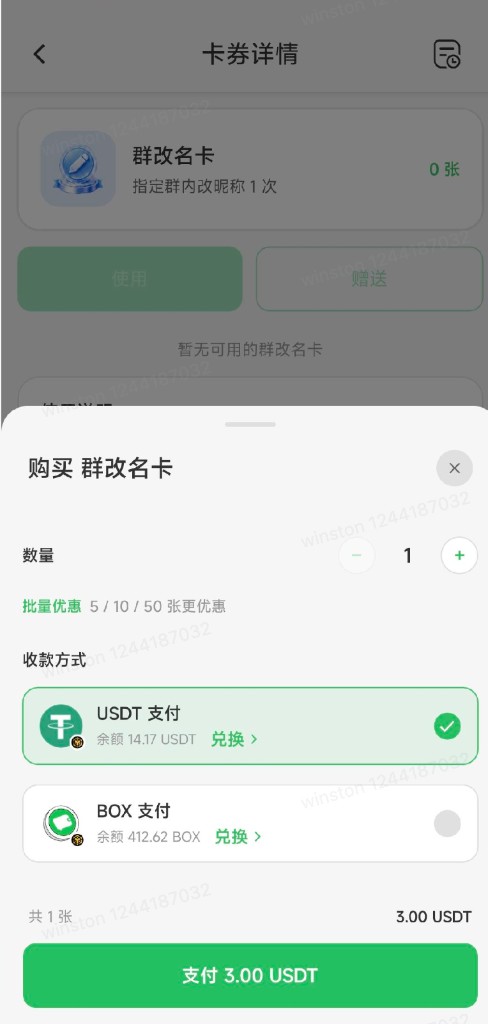
Bulk discounts (in the purchase sheet):
| Quantity | Discount |
|---|---|
| 5+ cards | 5% off |
| 10+ cards | 10% off |
| 50+ cards | 20% off |
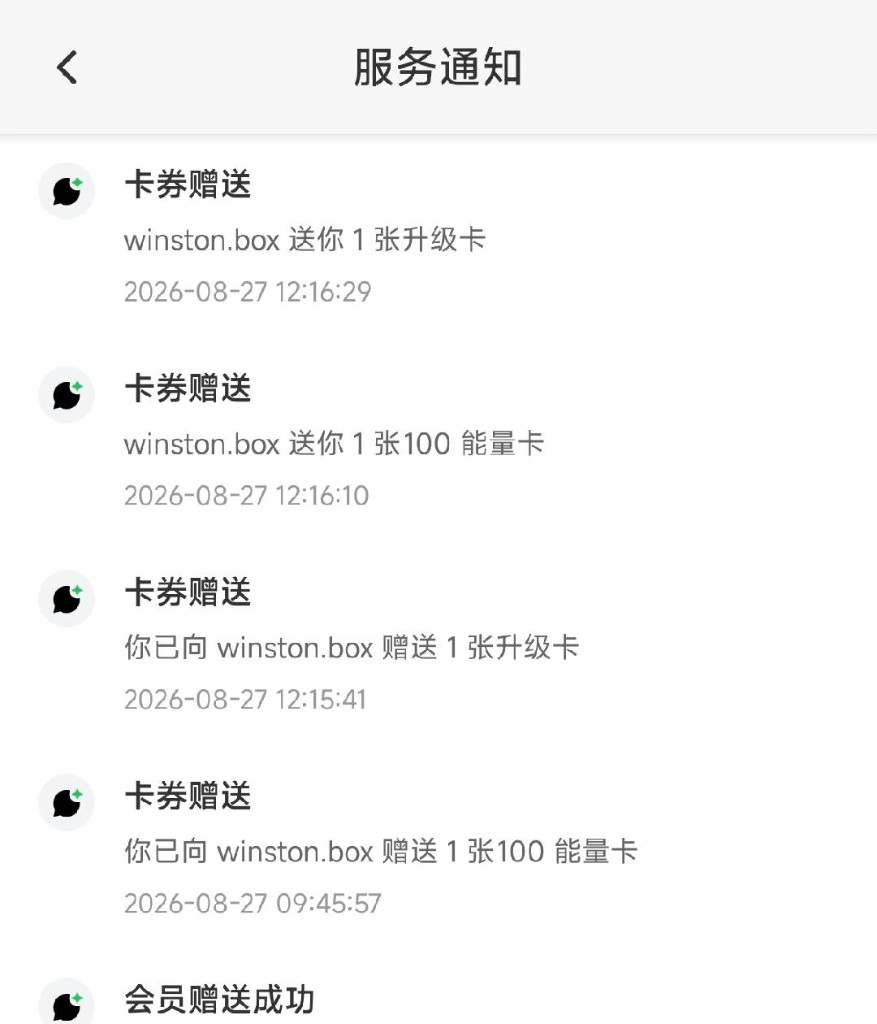
Option 2: Friend gift
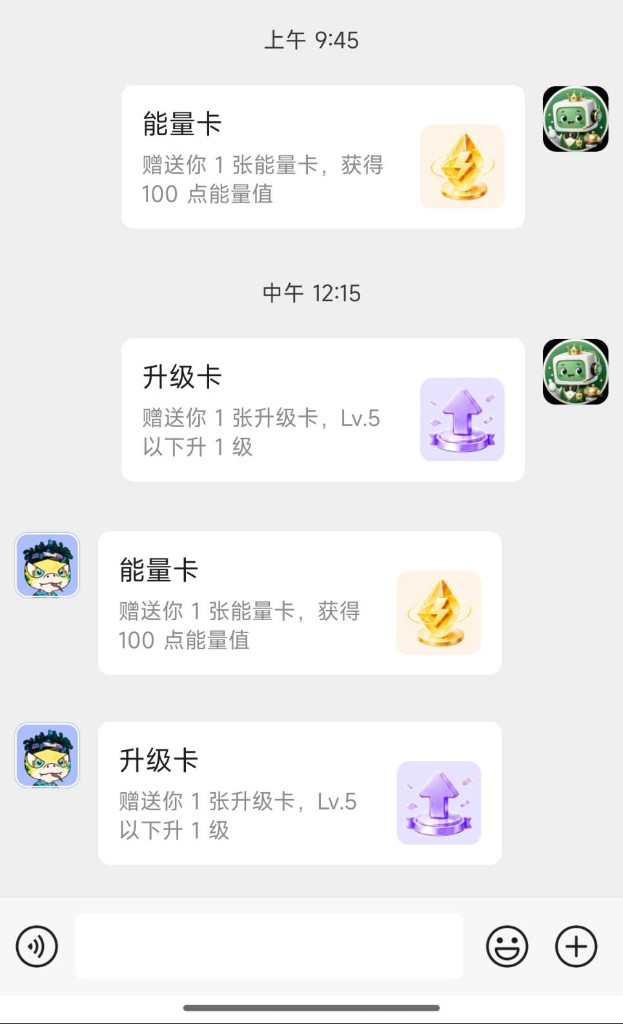
- A friend gifts coupons to you in the App.
- Open Transaction history → Received; My coupons counts update as well.
How to use coupons
Membership coupons
View
- My coupons → Membership coupon.
- Filter with All, Iron, or Green at the top.
- See card name, term description, and “X available”.
Use
- Tap Use on the target card.
- Read the confirmation (activate / extend / upgrade—follow the sheet).
- Tap Confirm use until you see Use successful and membership status update.
Limits
- If your membership tier is higher than the coupon tier, you’ll see “Your membership tier is higher than this coupon” and the coupon won’t be consumed.
- Gold coupons may appear in the list while filters show All / Iron / Green only; whether Gold can be bought or used depends on the live purchase UI (Iron and Green are offered in the purchase sheet).
Energy cards
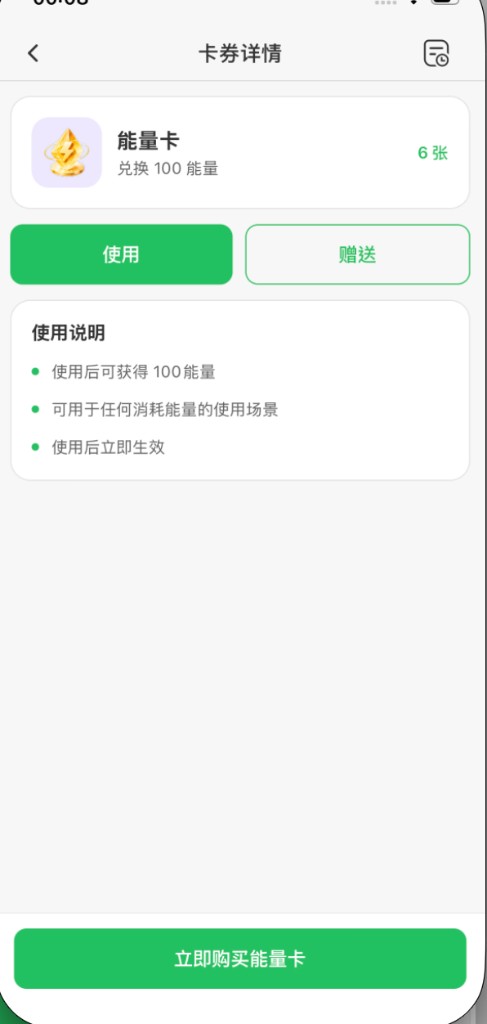
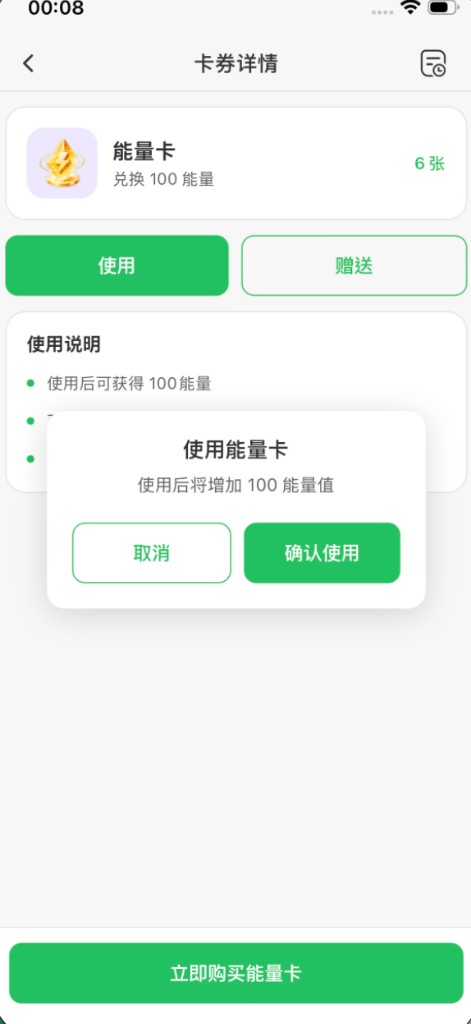
- My coupons → Energy card (opens Coupon details).
- Tap Use (you can also tap Gift on the same page—see gifting below).
- Confirm “Energy will be added after use” (e.g. 100 energy—follow the screen).
- Tap Confirm use until you see success and updated total energy.
See How do I use Level & Energy Center?.
Upgrade cards
- My coupons → Upgrade card.
- At Lv.5 or above, Use is disabled.
- If available, tap Use, confirm current and new level in the sheet.
- Tap Confirm use to see the level-up result.
Limits: Lv.5 and below only (“+1 level · Lv.5 and below” on screen); 1 card per use.
See How do I upgrade my account level?.
Group rename cards
- My coupons → Group rename card.
- Tap Use → Use group rename card screen.
- Select a group from your joined groups (search supported).
- Tap Confirm at the bottom.
- Enter a new nickname (2–16 characters, must differ from the current one).
- Confirm to finish; see Rename successful and old/new nickname comparison.
Limits: 1 card per successful rename; only groups you joined; invalid nicknames won’t consume a card.
How to gift coupons
All four types can be gifted. Recipients must be your followers or friends; multi-select is supported so you can pick several people at once.
From Select coupon (energy / rename / upgrade)
- Open Select coupon.
- Choose the coupon type.
- Tap Gift at the bottom and follow the shared steps below.
For membership coupons, Gift opens the membership list first—tap Gift on a specific card.
From details or membership list
Open the coupon details or membership list, tap Gift, then the gift screen.
Shared gift steps
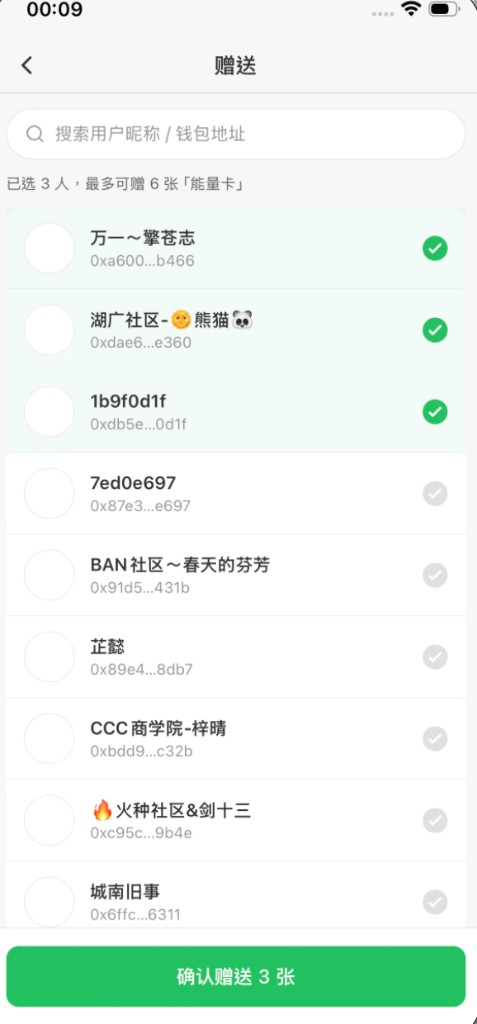
- Search by nickname or wallet address (optional).
- Select one or more people (must be followers or friends; up to 50; limited by your giftable balance).
- Tap Confirm gift X cards (prompts “Select recipients first” if none chosen).
- Review coupon name, recipients, and total count in the confirmation sheet.
- Set per-person count (capped by your available balance and recipient count).
- Read: “After gifting, coupons transfer to selected friends and you can no longer use them.”
- Tap Confirm gift until Gift successful.
Limits
- Recipients must be your followers or friends; multi-select is supported.
- Recipients × per-person count cannot exceed your giftable balance.
- Up to 50 people per batch; gifts cannot be recalled; check Transaction history → Gift.
For membership gifting, see also How do I gift DeBox membership to a friend?.
Tips
- Final price, discounts, and energy amounts follow the live purchase sheet and details page.
- Insufficient balance prompts appear before payment; swap for USDT / BOX via How do I use Swap? if needed.
- After payment, wait for on-chain confirmation; check Transaction history → Purchase if credit is delayed.
- Membership coupons cannot be used below your current tier; upgrade cards are disabled at Lv.5+.
- Group rename nicknames must be 2–16 characters and different from the current name.
- At zero balance, “No available XX cards” appears—buy or wait for a friend gift.
- Expiry display in the App is not available on current screens; contact official support if unsure.
FAQ
Where do I open coupons?
- Android: in a DM, tap + then Coupons; or Me → My coupons.
- iOS: Discover → All or DeBox Official → My coupons. You can also send
debox://rn/voucher/homein chat, tap it, then add it to Discover Favorites.
Inside the module, open My coupons or Select coupon.
Why don’t I see Me → My coupons on iOS?
That’s expected: iOS and Android entries differ. Open Discover, choose All or DeBox Official, then tap My coupons. You can also paste debox://rn/voucher/home into chat, send it, tap the link, and favorite it on Discover.
What coupon types exist?
Membership coupon, energy card, group rename card, and upgrade card.
Can I exchange points for coupons?
The coupon module focuses on purchase and friend gifts; if you don’t see a points exchange screen, it’s outside this guide.
What membership coupon terms exist?
Iron or Green, monthly / quarterly / yearly at purchase; held cards show specs from the server. Compare tiers in What benefits do different membership tiers offer?.
How many can I buy at once?
1–99; bulk discounts at 5 / 10 / 50+ cards.
What payment methods?
USDT or BOX in the purchase sheet.
Why can’t I use a membership coupon?
Your membership tier may already be higher than the coupon tier.
Why is the upgrade card disabled?
Upgrade cards are unavailable at Lv.5 and above.
How do group rename cards work?
Select a group, enter a new nickname (2–16 chars), 1 card per successful rename.
How many friends can I gift to?
Recipients must be your followers or friends; multi-select is supported. Up to 50 per batch; per-person count is limited by your balance.
Can I recall a gift?
No—coupons transfer to friends immediately.
Where is purchase and use history?
History icon on My coupons or Coupon details → Transaction history → switch tabs.
Where do received gifts appear?
Transaction history → Received, and updated counts on My coupons.