
How do I unbind my Twitter account?
What this tutorial covers
This guide walks you through how to unbind your Twitter account using screenshots (and video). UI labels follow the current App.
Scope and prerequisites
- DeBox is installed and you can sign in.
- Some actions require group owner or admin permissions, or follow on-screen prompts.
Video walkthrough
Steps
Follow the screenshots in order (red boxes/arrows match the source tutorial):
1. Step 1
Complete step 1 using the screenshot below.
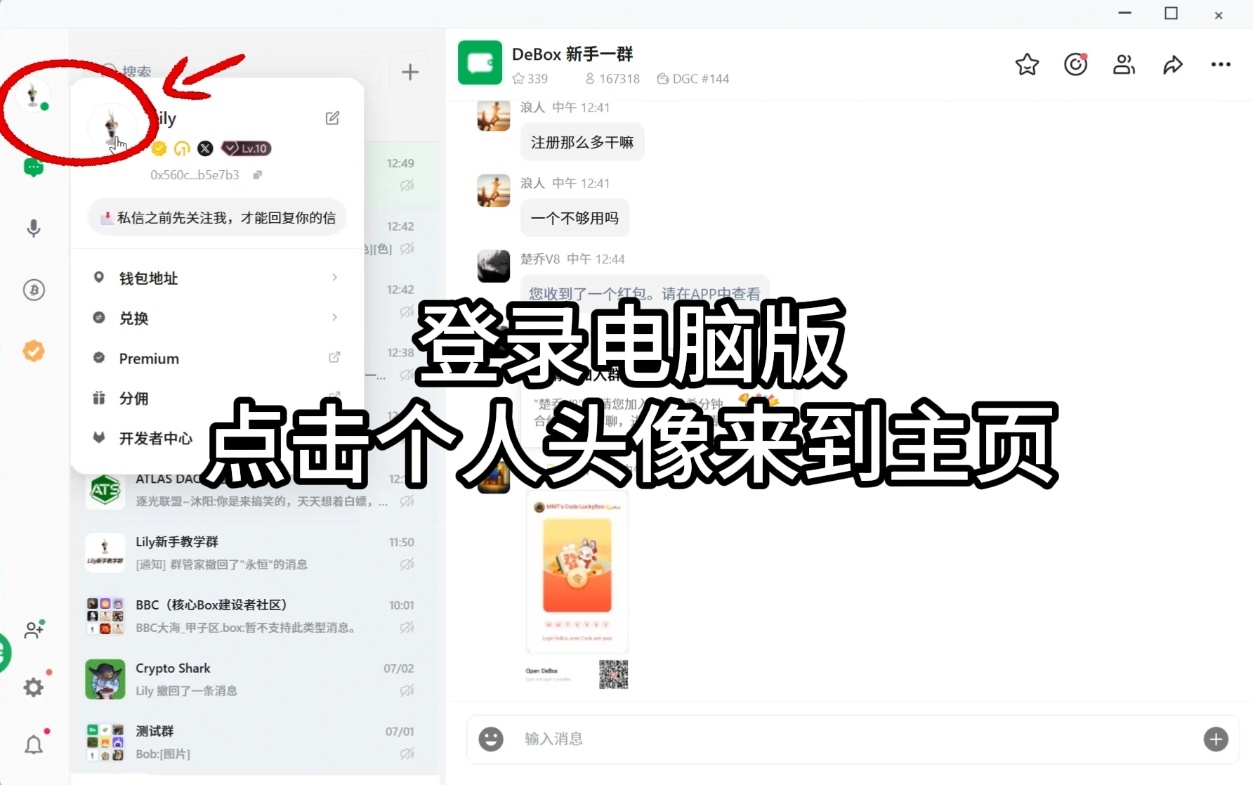
2. Step 2
Complete step 2 using the screenshot below.
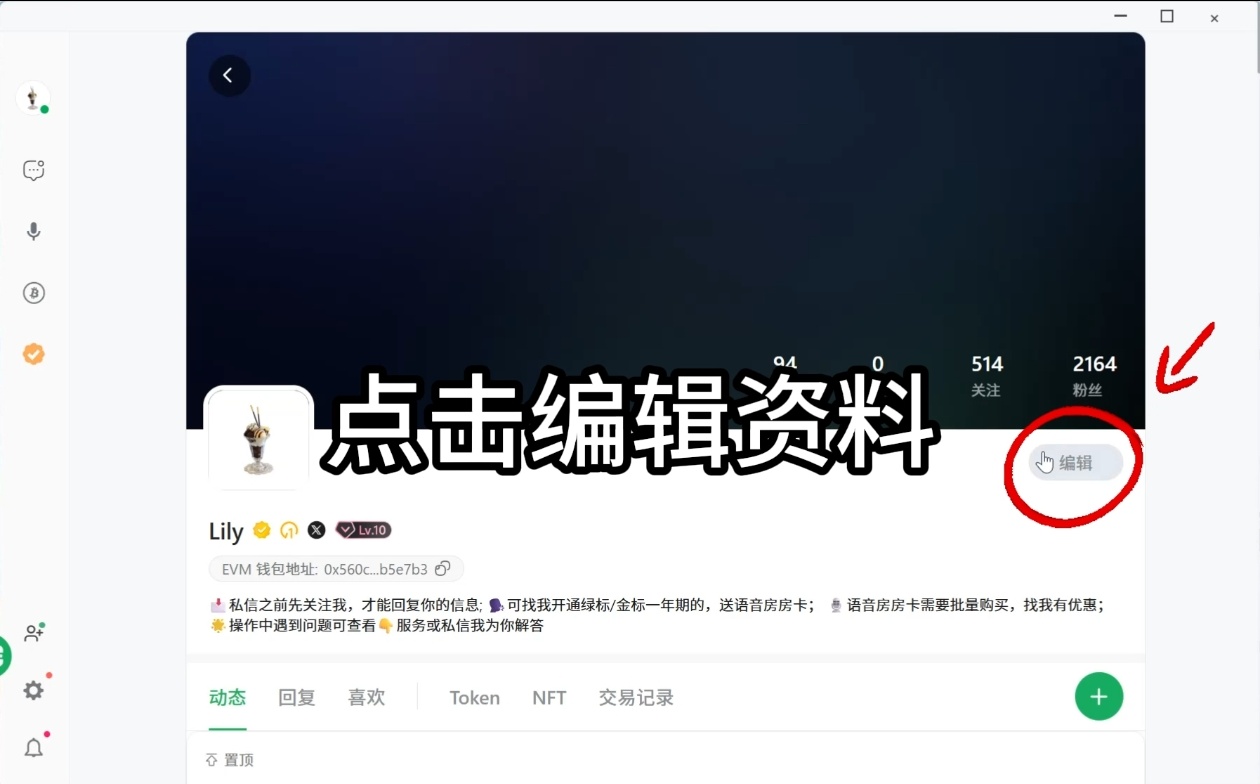
3. Step 3
Complete step 3 using the screenshot below.
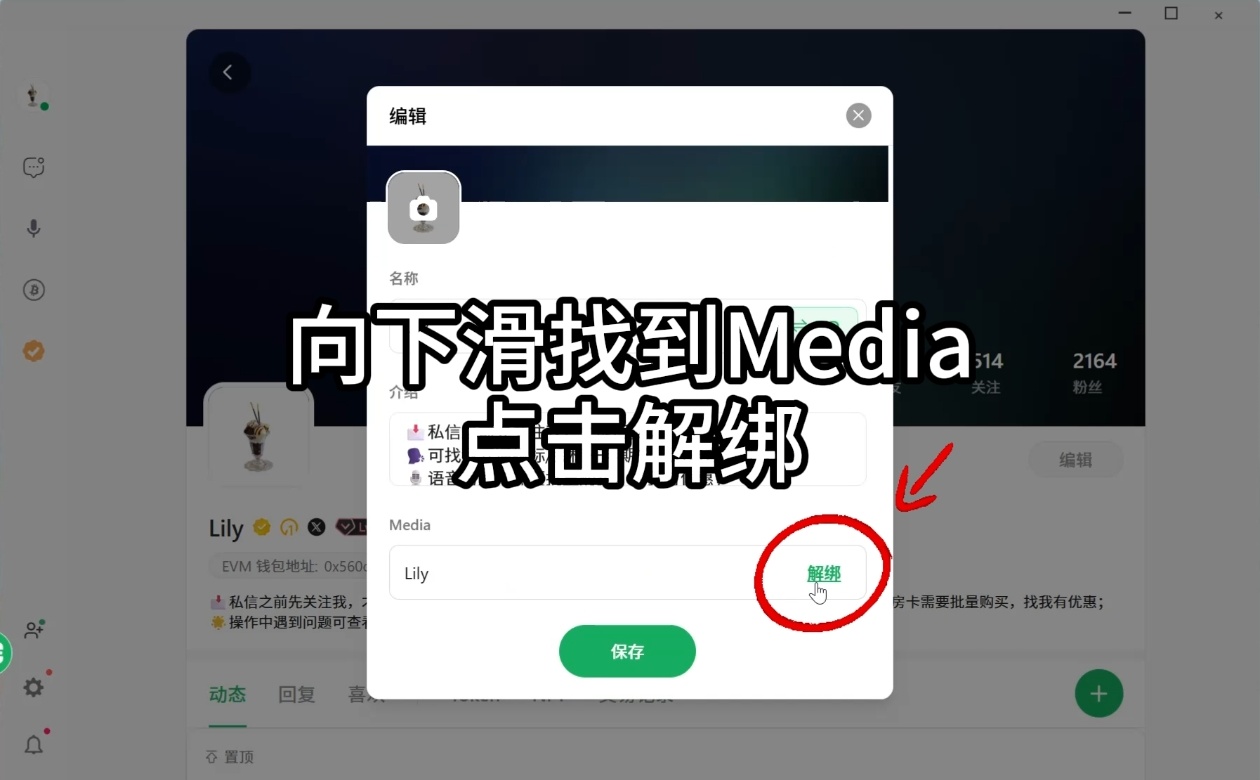
4. Step 4
Complete step 4 using the screenshot below.
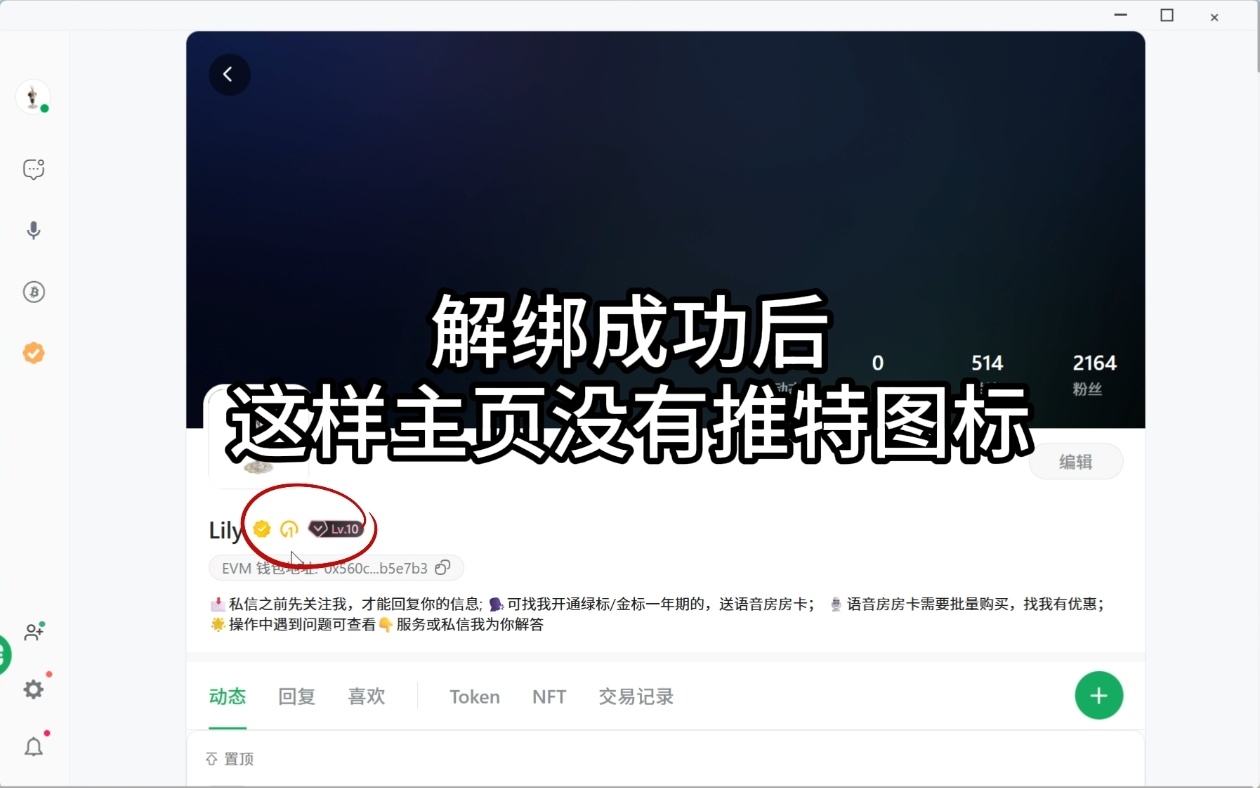
FAQ
Can't find the entry point?
Menu names may vary slightly by version. Use the current App UI as the source of truth, or watch the video walkthrough to locate the entry.
Don't have permission?
Group management actions usually require the group owner or an admin. For asset or payment actions, confirm you are signed in to the correct wallet account.