
How do I become a guarantor?
What this guide covers
Explains how to apply as a guarantor in P2P / group-owner escrow, complete agreement confirmation and group owner review, deposit guarantor margin, and manage deposits and orders on the guarantor home page.
Requirements and before you start
- Signed in to DeBox and joined the target group; enter via group + → P2P.
- First visit requires risk notice confirmation (see How do I use P2P (Marketplace)?).
- Guarantors must deposit margin; escrow limit usually does not exceed margin; improper arbitration may deduct margin—read the Guarantor Agreement carefully.
- Wallet needs sufficient USDT (or page-specified asset) and network Gas; actions require signature/PIN.
Steps
1. Open P2P and go to Guarantor
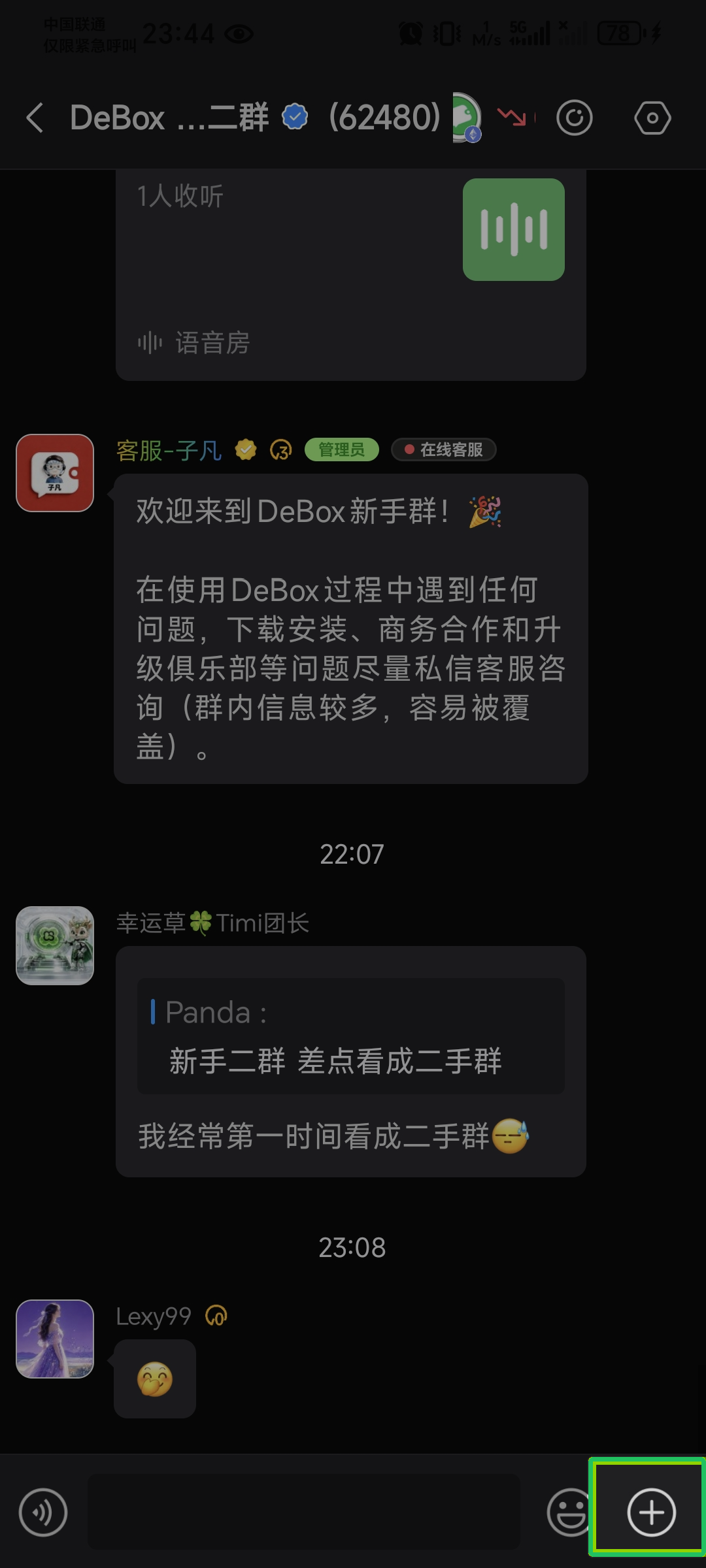
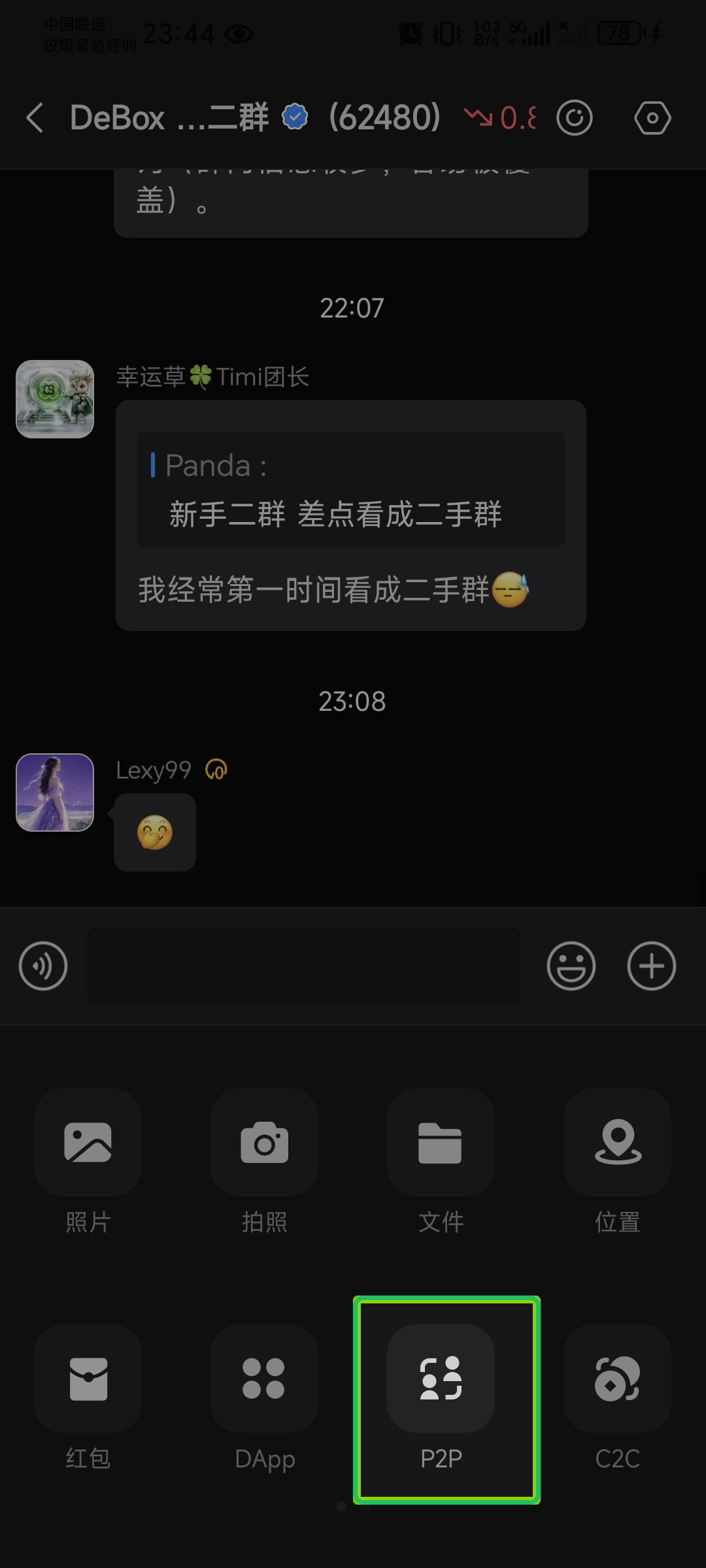
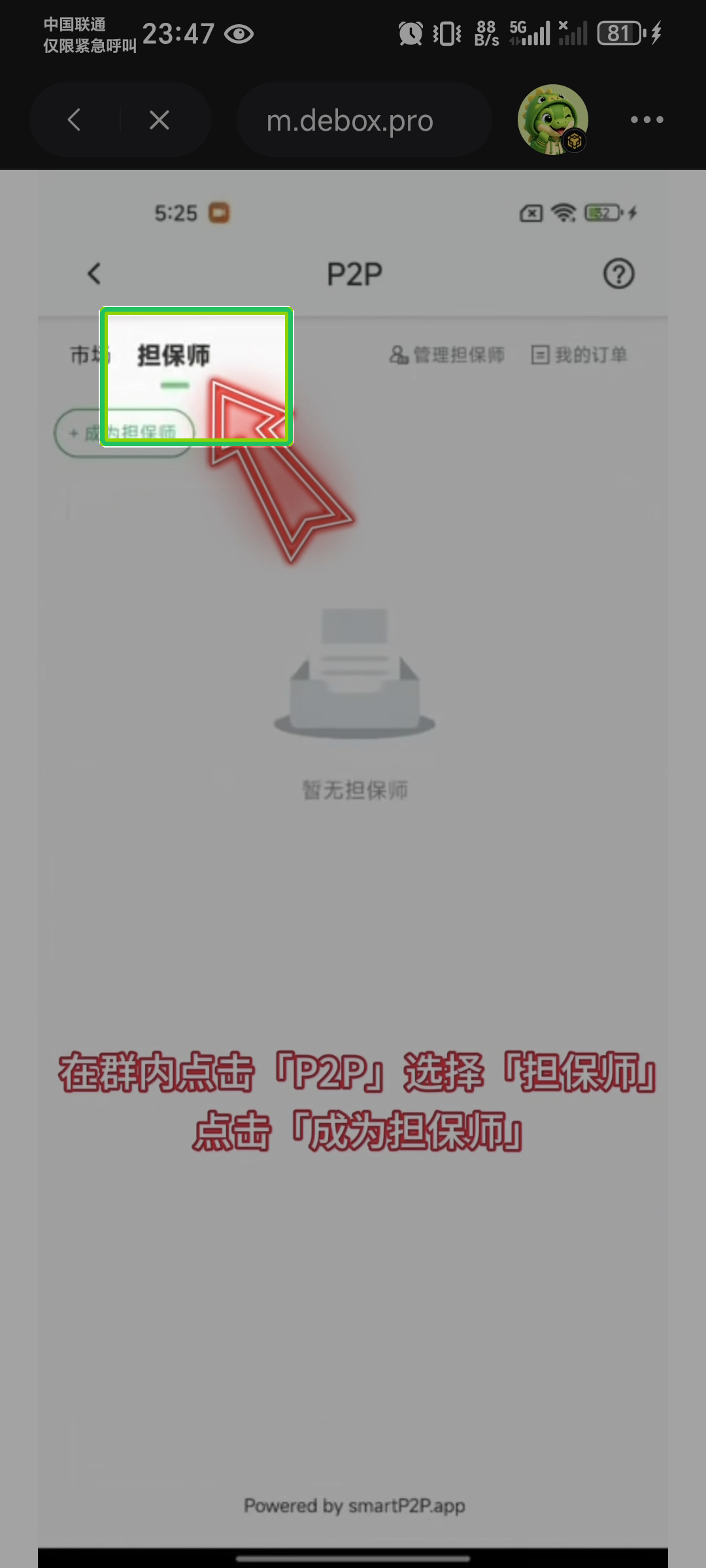
In group chat tap + → P2P, switch to the Guarantor tab, tap + Become a guarantor.
2. Read instructions and submit application
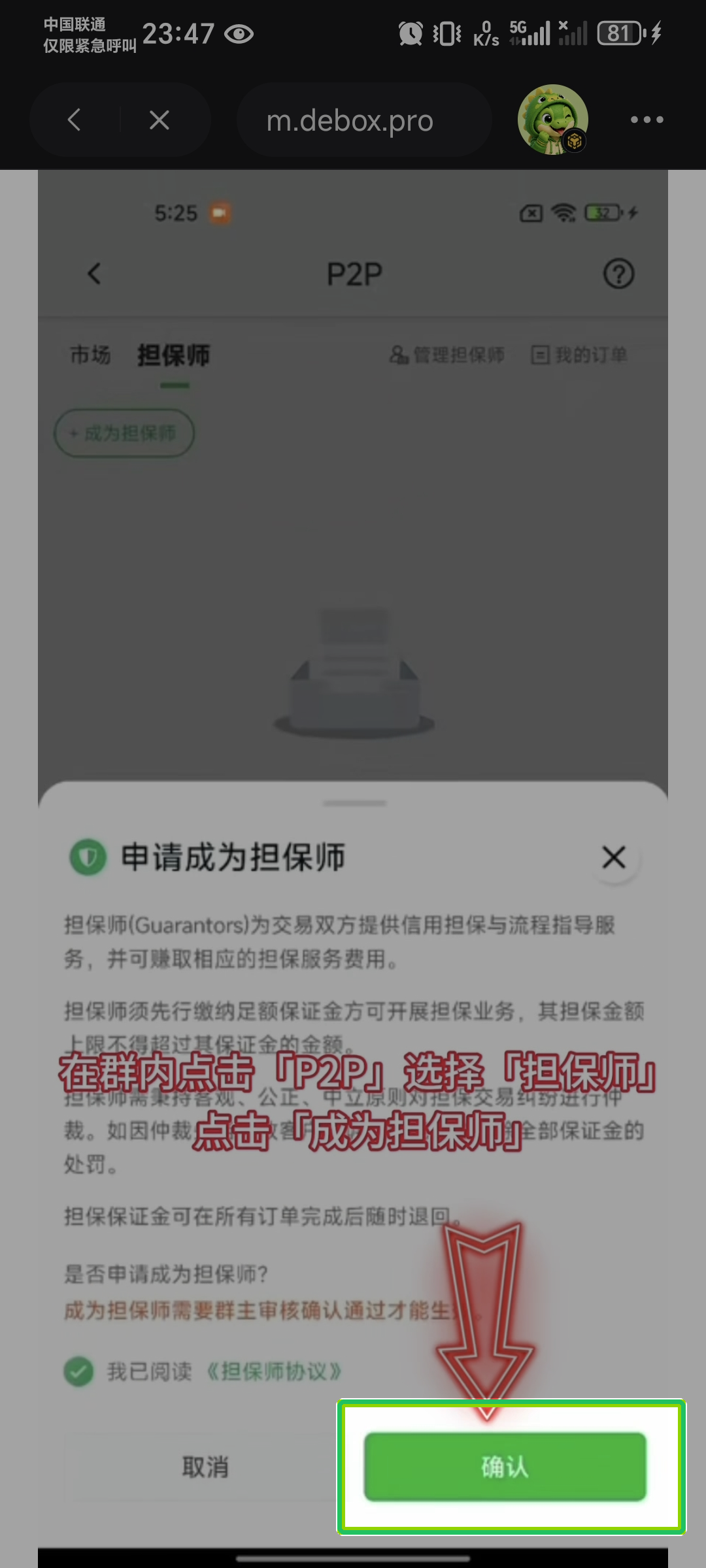
In the Apply to become a guarantor modal, read duties and risks, check I have read the Guarantor Agreement, tap Confirm.
Application usually takes effect after group owner approval. Owners review under Manage guarantors.
3. Deposit guarantor margin after approval
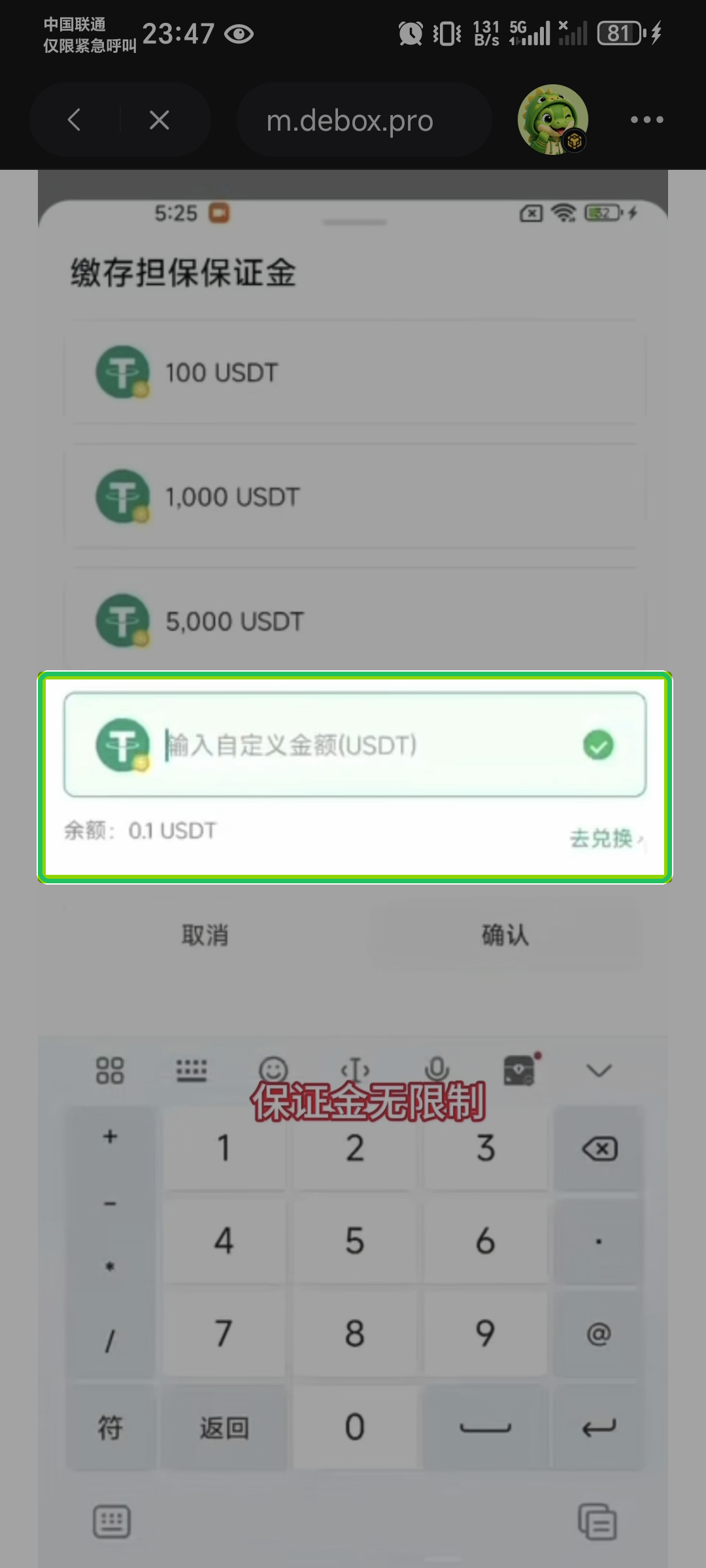
After approval, the page may prompt Approved—please deposit margin. Open Deposit guarantor margin:
- Choose a preset amount or enter a custom amount (follow the page);
- Confirm sufficient balance; exchange if needed per prompts;
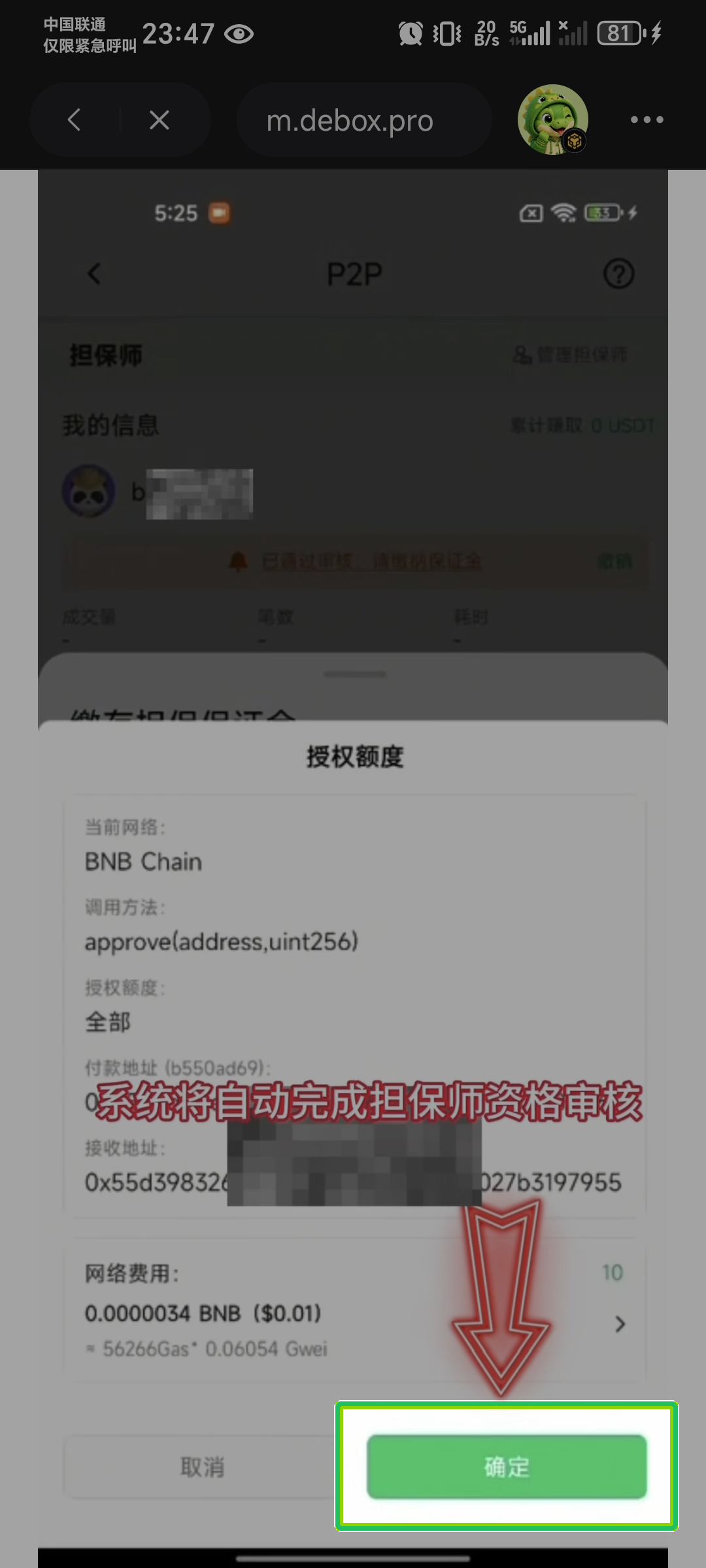
- Complete on-chain authorization and payment;
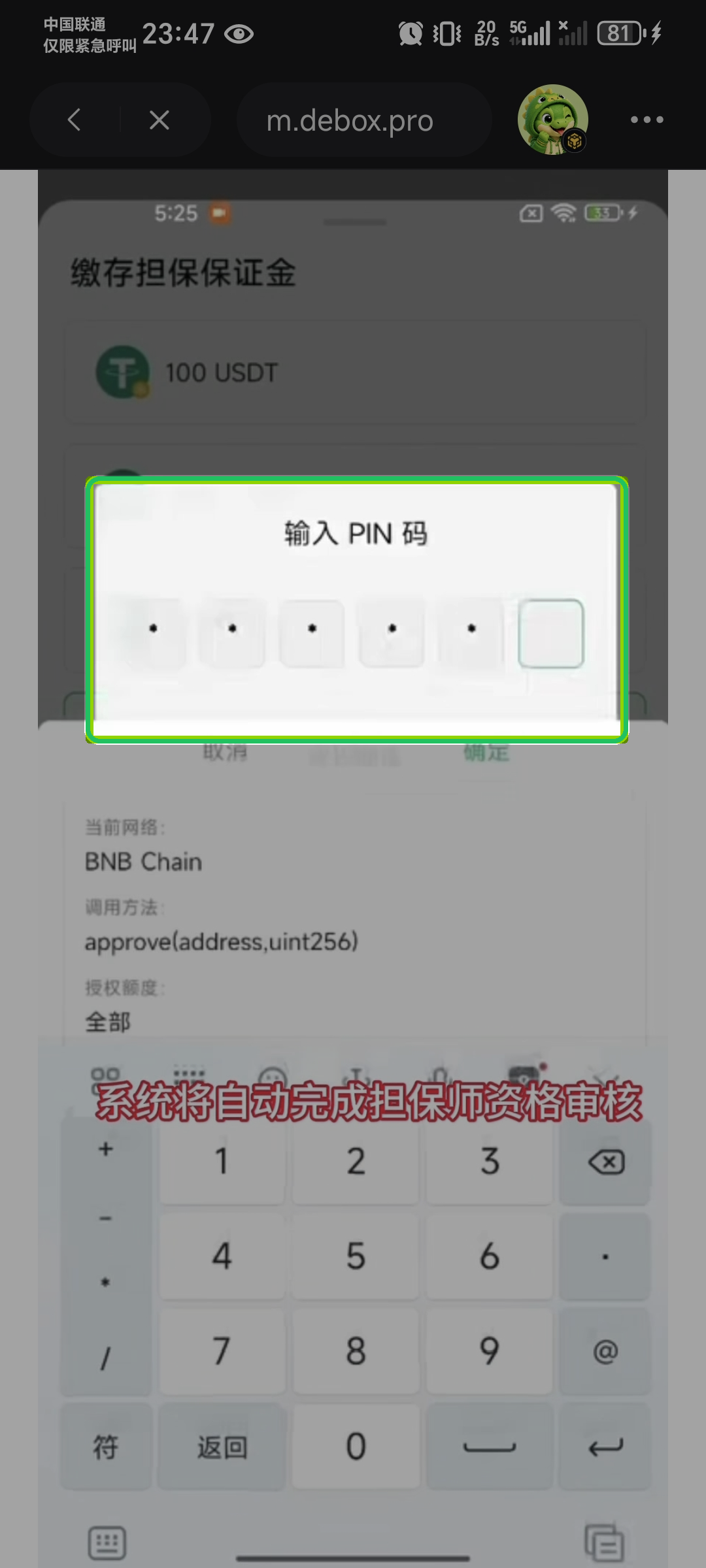
- Enter PIN when prompted.
4. Accept orders and manage margin on guarantor home
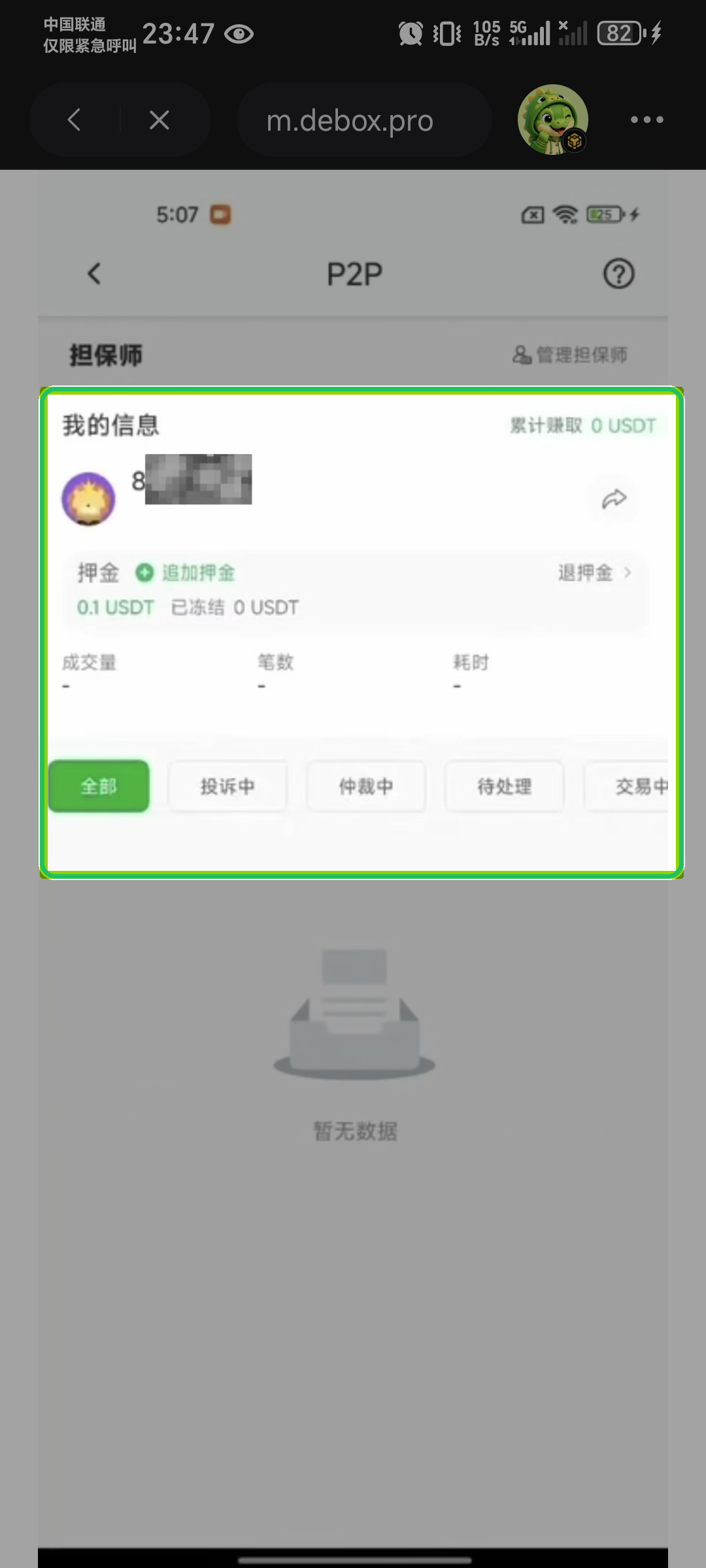
As an active guarantor, view cumulative earnings and margin/frozen amounts under My info, and:
- Add margin / Withdraw margin
- Handle escrow requests in order tabs (All / Disputes / Arbitration / Pending / In progress, etc.)
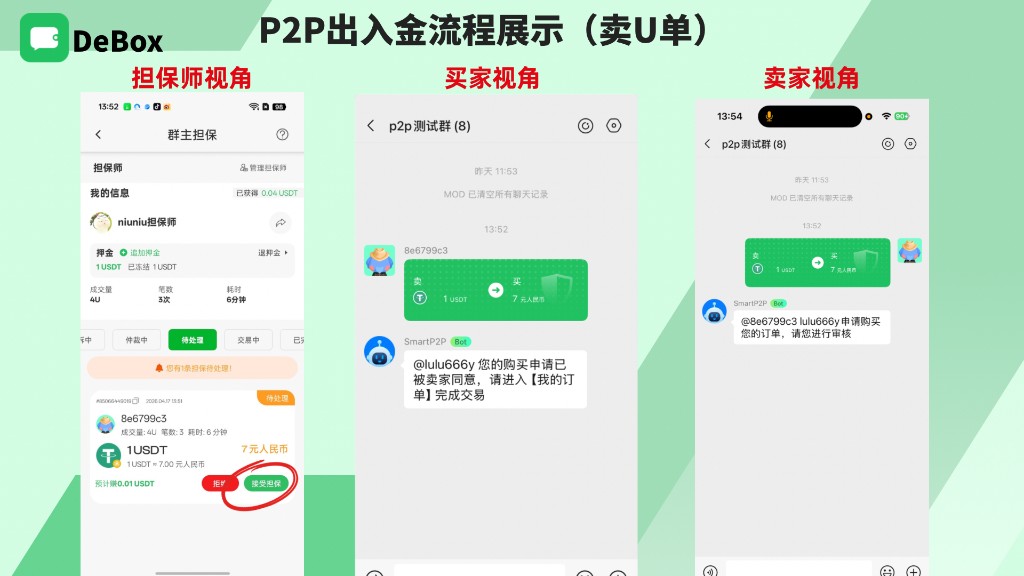
When a new order arrives, under Pending verify amount and rate, tap Accept escrow (or Reject). After acceptance, buyer, seller, and guarantor enter a trade mini-group; for sell-U orders the seller taps Start trade, buyer Confirm delivery, seller Confirm receipt. Full deposit/withdrawal steps: How do I use P2P (Marketplace)?.
Common questions
Application never activated?
Group owner must approve under Manage guarantors; you must also deposit margin before accepting orders.
Why authorize token allowance?
Depositing margin usually requires token approval (e.g. approve) before transfer. Verify network, amount, and contract address before confirming.
How long until margin can be withdrawn?
After all related orders complete, withdraw or partially withdraw per the page; deregistration/full refund may have a waiting period (product copy may say several days). Frozen margin or active orders usually block deregistration/refund.
What if arbitration goes wrong?
Guarantors must handle disputes fairly; incorrect arbitration causing loss may deduct part or all margin (per agreement and page prompts).
Related guides
Before publishing, product must verify margin amounts, authorization, withdrawal waiting period, and group owner review rules against production; if screenshots say auto-approval but production uses owner review, follow owner review.