
How do I use P2P (Marketplace)?
What this guide covers
Explains how to use P2P / group-owner escrow (Marketplace) in DeBox groups: open the entry, post sell U / buy U orders, complete escrow deposit/withdrawal trades, and understand guarantor backing throughout.
Requirements and before you start
- Signed in to DeBox and joined a P2P-enabled group (or an official recommended P2P trading group).
- In-app name is often Group escrow or P2P; the order board is Market (marketing may say Marketplace).
- Wallet balance needed for escrow assets and fees; fee rate follows the publish page.
- Never share seed phrase, private key, or PIN; verify off-chain payment details (e.g. transfer apps) yourself.
Trade flow overview (deposit / withdrawal)
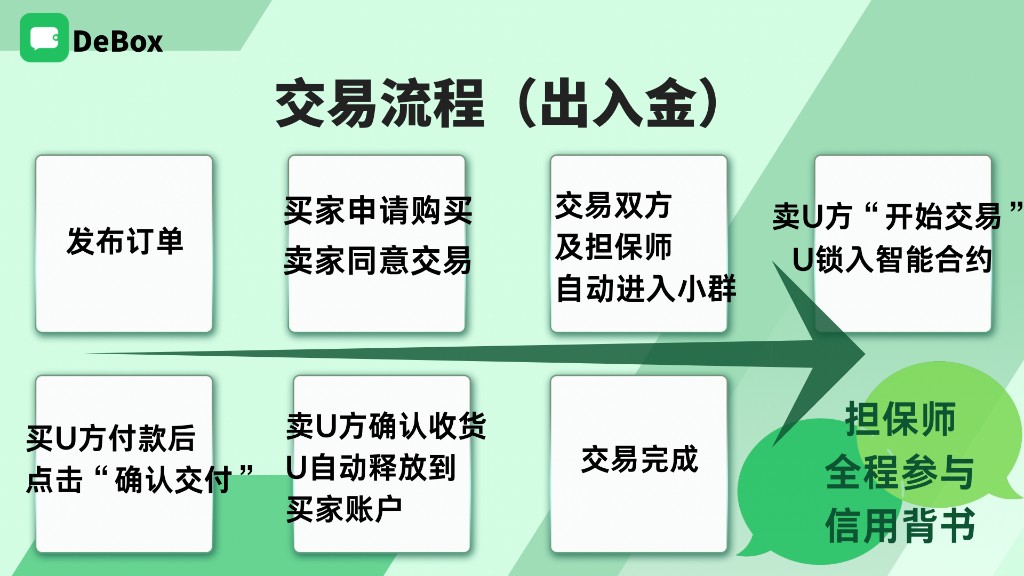
Standard sell-U order (U for goods) flow with guarantor backing throughout:
- Post order
- Buyer applies; seller accepts
- Buyer, seller, and guarantor auto-join a mini-group
- Seller taps Start trade; U locked in smart contract
- Buyer pays off-chain and taps Confirm delivery
- Seller confirms receipt; U released to buyer
- Trade complete
Steps
1. Open P2P in a group
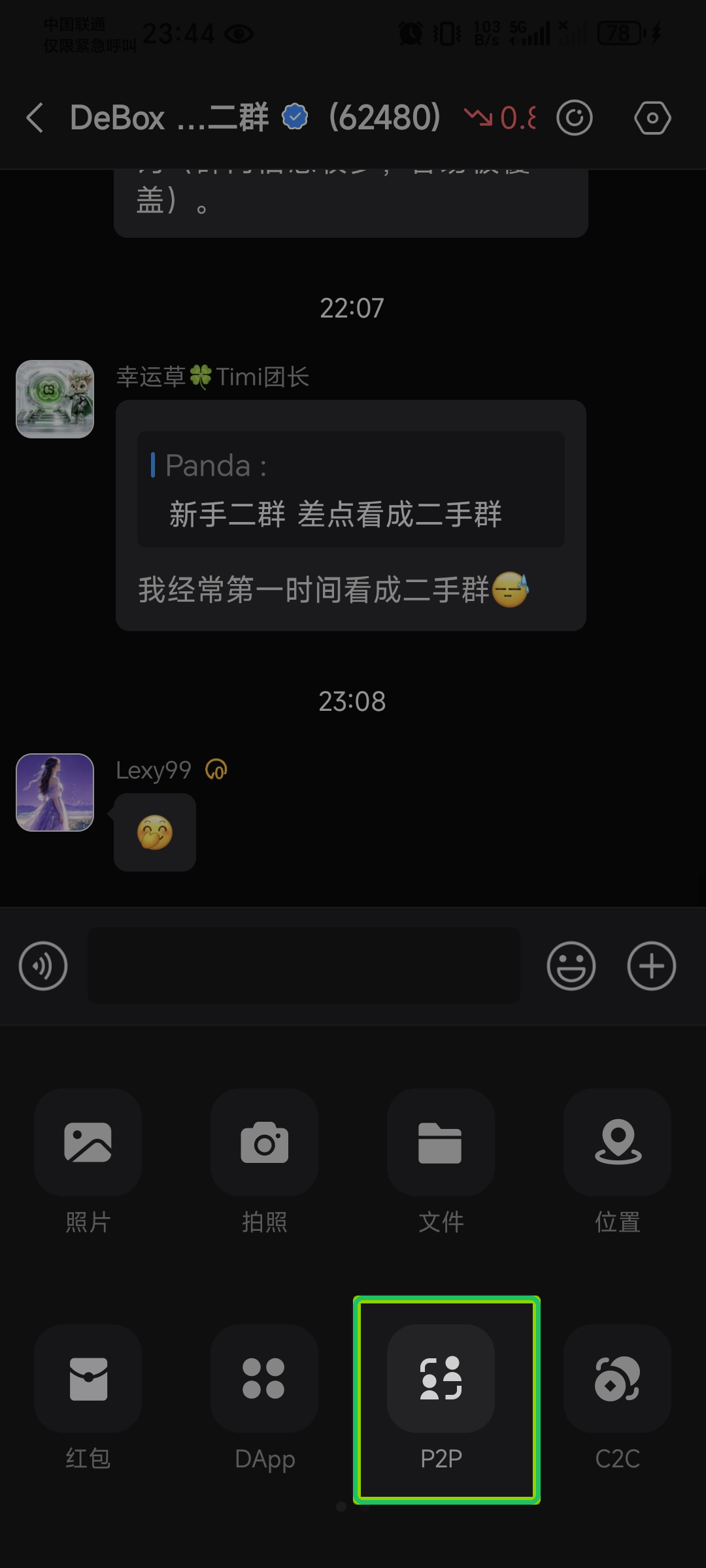
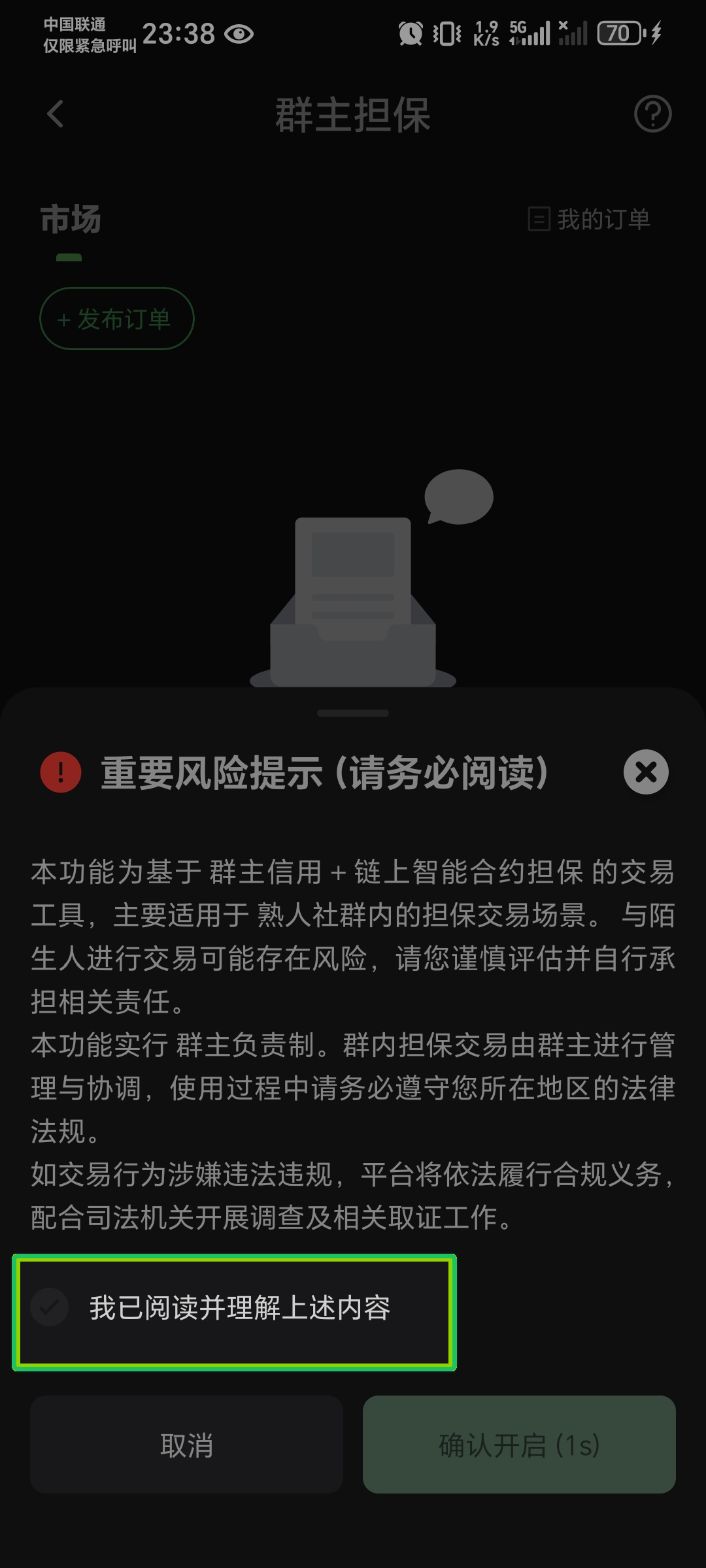
In the target group chat, tap + on the input bar, select P2P. First visit: read Important risk notice and tap Confirm to enable.
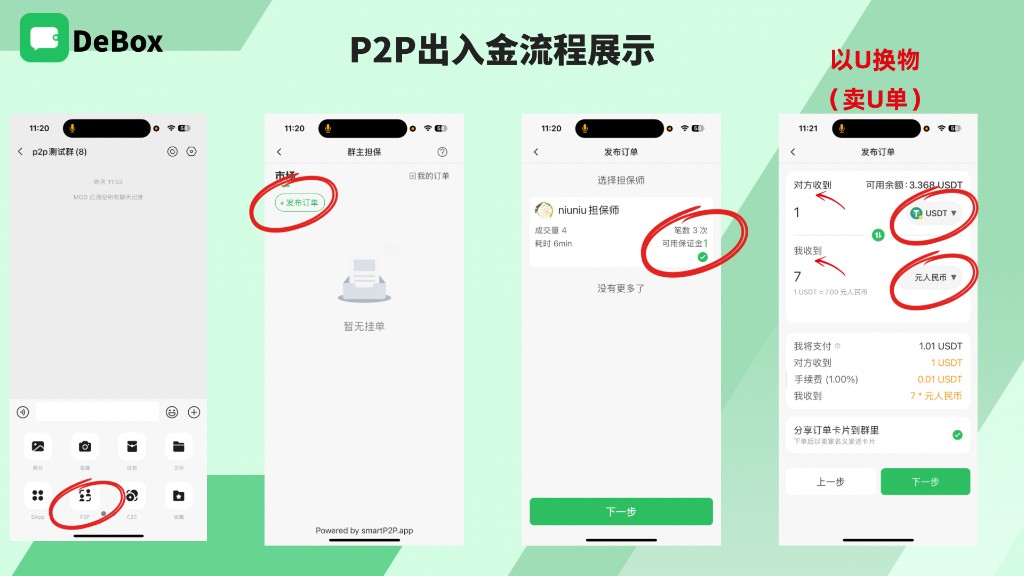
2. Post an order (sell-U example)
On the Market tab tap + Post order:
- Choose guarantor: review volume, count, time, and available margin, tap Next.
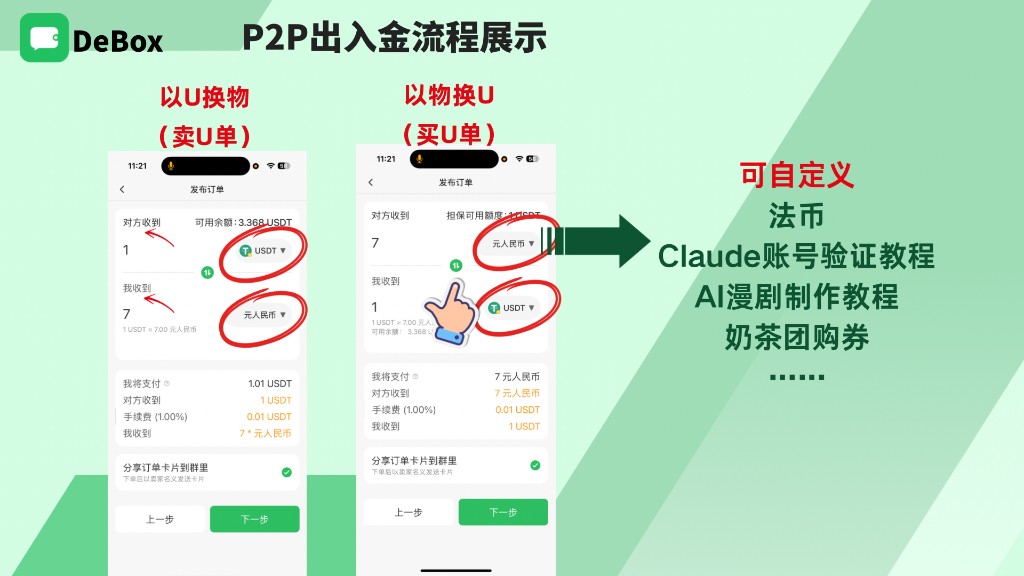
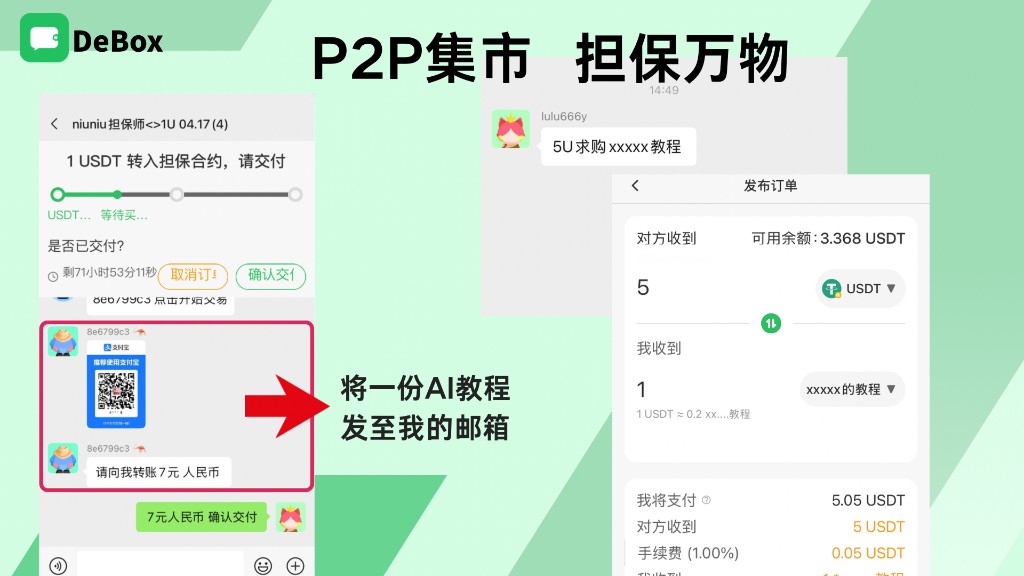
- Fill amount and asset:
- Counterparty receives: escrowed U (e.g. USDT) amount
- I receive: fiat or custom asset (tutorials, vouchers, etc.—per page options)
- Verify I pay / Counterparty receives / Fee / I receive; optionally Share order card to group.
- Tap Next to confirm and publish.
3. What's the difference between sell-U and buy-U orders?
Swap Counterparty receives / I receive on the publish page for two common types:
| Type | Meaning | Example |
|---|---|---|
| U for goods (sell U) | You pay U; counterparty pays fiat/item/service | Counterparty gets 1 USDT; you get 7 CNY |
| Goods for U (buy U) | You pay fiat/asset; counterparty pays U | Counterparty gets 7 CNY; you get 1 USDT |
Custom assets supported (fiat, tutorials, vouchers, etc.)—follow page options and compliance prompts.
4. Buyer applies, seller accepts, guarantor accepts
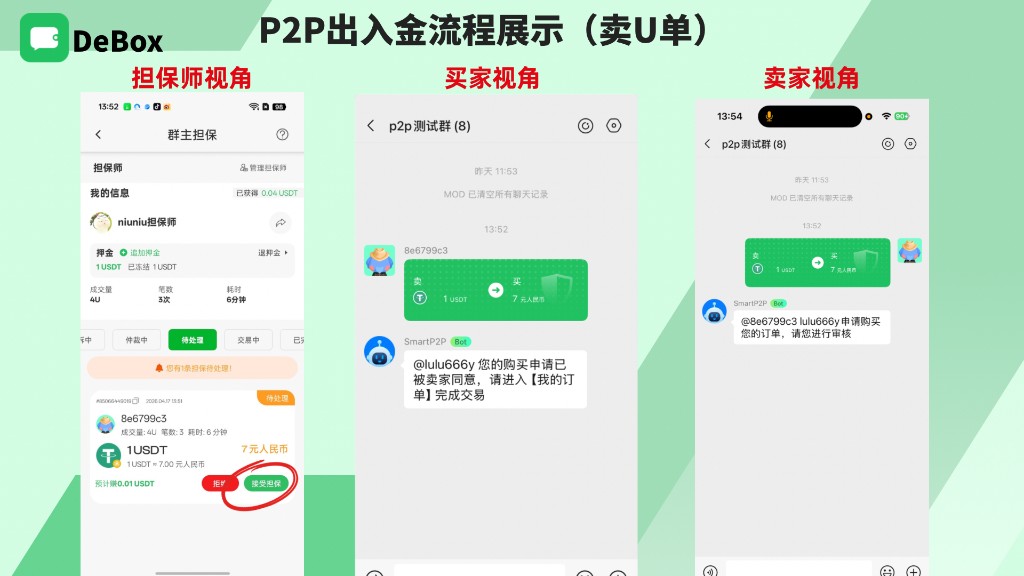
- Buyer taps buy on Market and submits application.
- Seller receives SmartP2P bot notice in group, reviews and accepts under My orders.
- Guarantor sees order under Pending, taps Accept escrow (or reject).
- Buyer, seller, and guarantor enter trade mini-group for escrow steps.
5. Complete escrow in trade mini-group
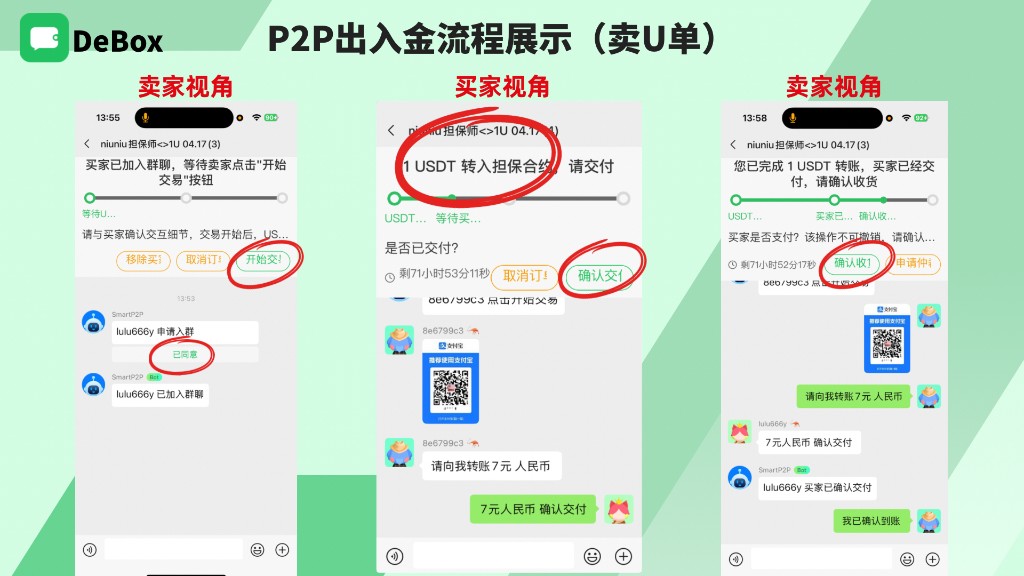
Sell-U example:
- After buyer joins, seller taps Start trade!—U moves to escrow contract.
- Seller shares payment method in group (e.g. QR code); buyer pays off-chain.
- Buyer taps Confirm delivery.
- Seller verifies receipt and taps Confirm receipt (irreversible); contract releases U to buyer.
- For disputes, use Request arbitration—guarantor handles per rules.
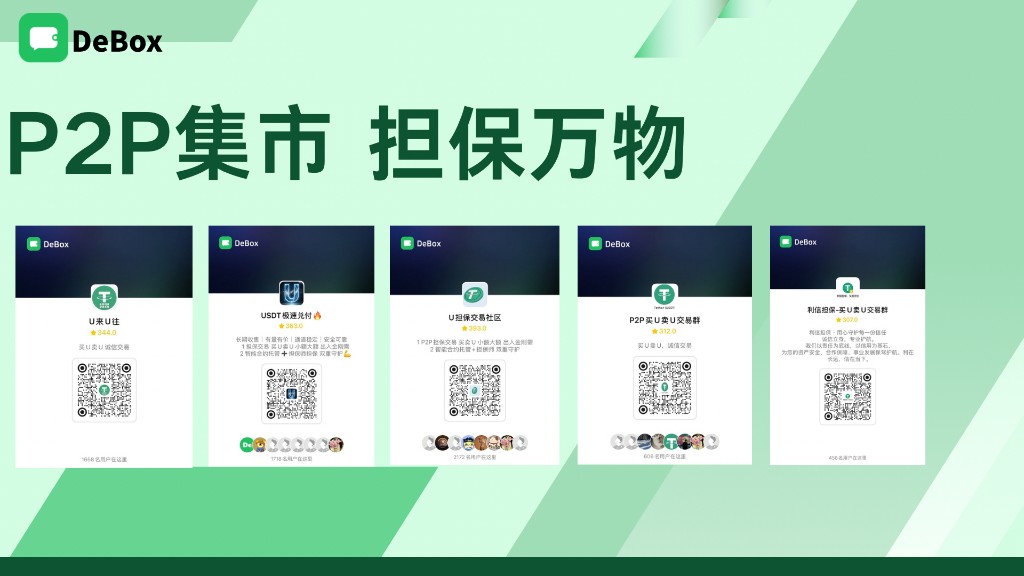
6. (Optional) Join official recommended P2P groups
Search or scan official P2P group cards in DeBox; prefer groups noting smart contract escrow + guarantor with stronger reviews and member count. Follow the same flow after joining.
Common questions
Are Market and Marketplace the same?
Yes—different names for the same feature: help/marketing Marketplace maps to App Group escrow / P2P → Market.
What is the fee?
Publish page shows Fee (x%) and amount (example screenshots showed 1.00%). Follow the current page—do not rely on old screenshots.
Can I cancel after Start trade?
After funds lock in the smart contract, unilateral cancel is usually not possible. Negotiate first; use arbitration if needed.
What if I tap Confirm receipt by mistake?
Confirm receipt is irreversible. Verify off-chain receipt before confirming; for disputes use arbitration quickly and keep transfer proof.
Related guides
Before publishing, product must verify on-chain escrow, fees, fiat/custom asset compliance, and arbitration rules match production and marketing materials.