
How to download and install DeBox on Honor phones?
What this guide covers
Help Honor phone users download and install DeBox, and handle common system installation blocks.
Requirements and before you start
- Use an Honor phone.
- Download the installer only from the DeBox official site https://debox.pro/.
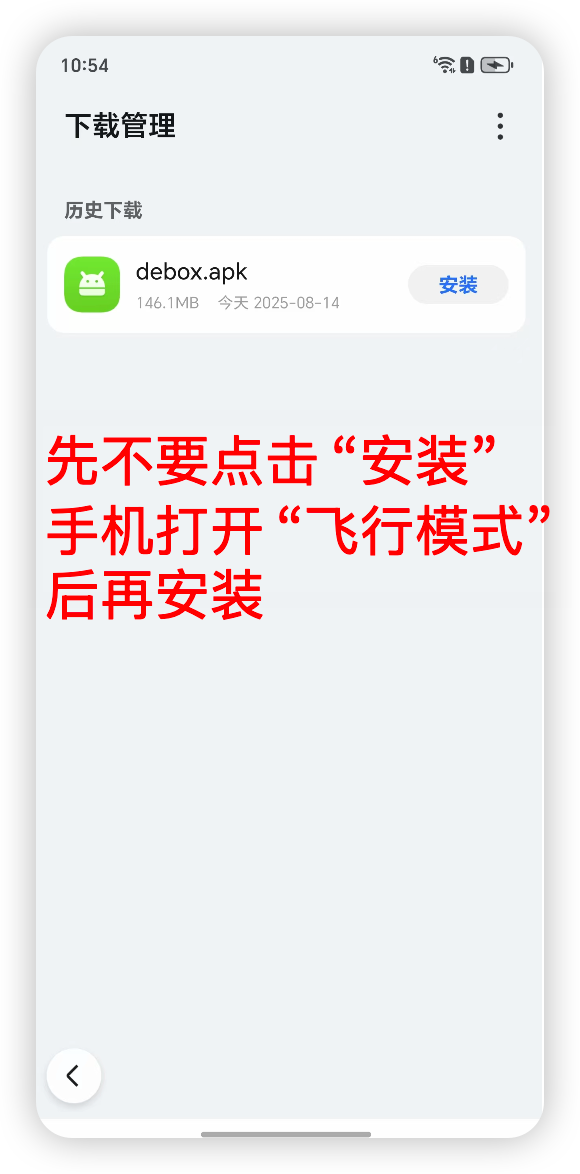
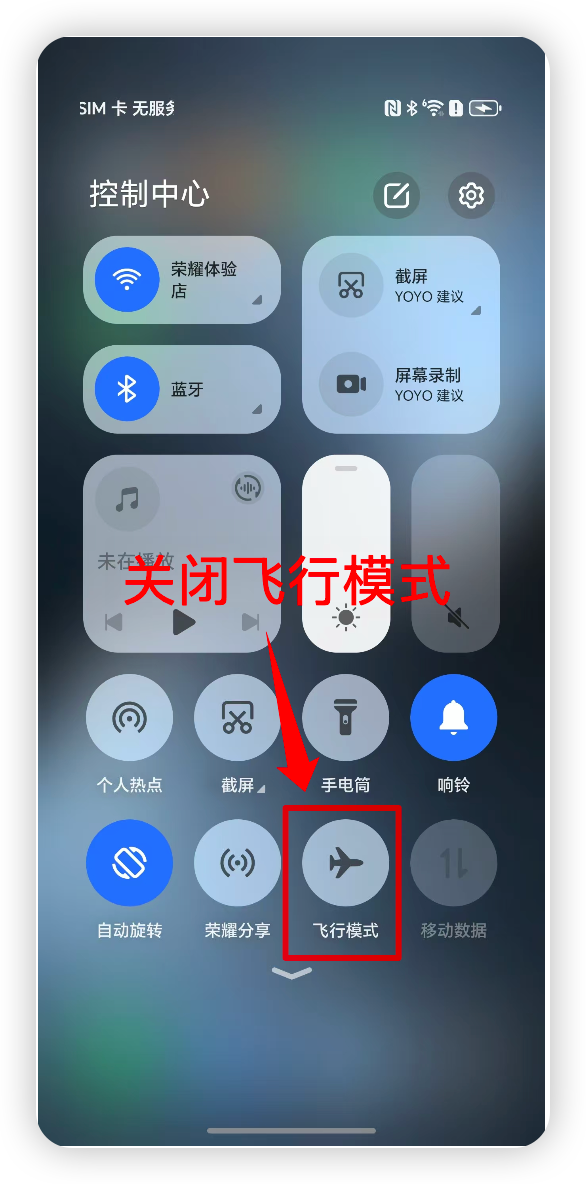
- After the download finishes, enable Airplane mode or disconnect from the network before installing to reduce online blocking by the system (actual behavior may vary by device).
Steps
1. Download the DeBox installer
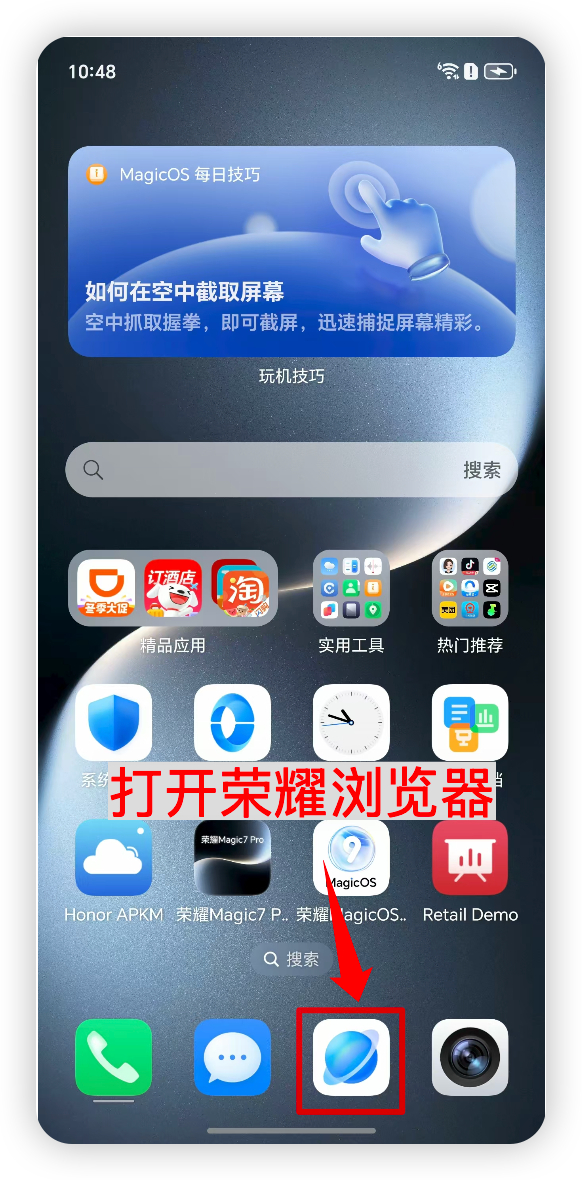
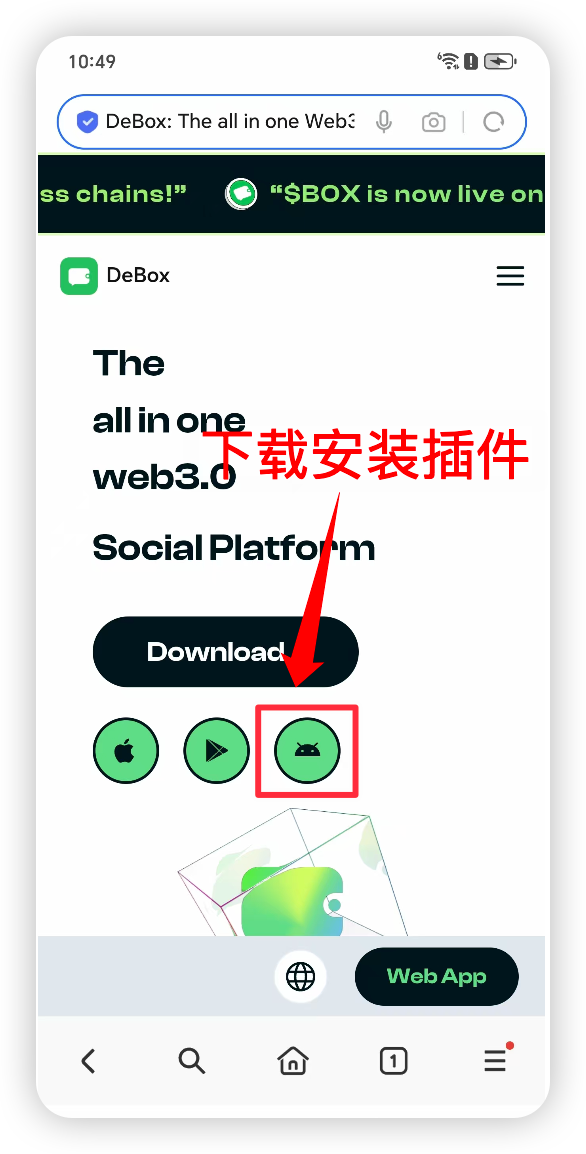
Open https://debox.pro/ in your browser and download the DeBox Android installer (APK).
2. Install DeBox while offline
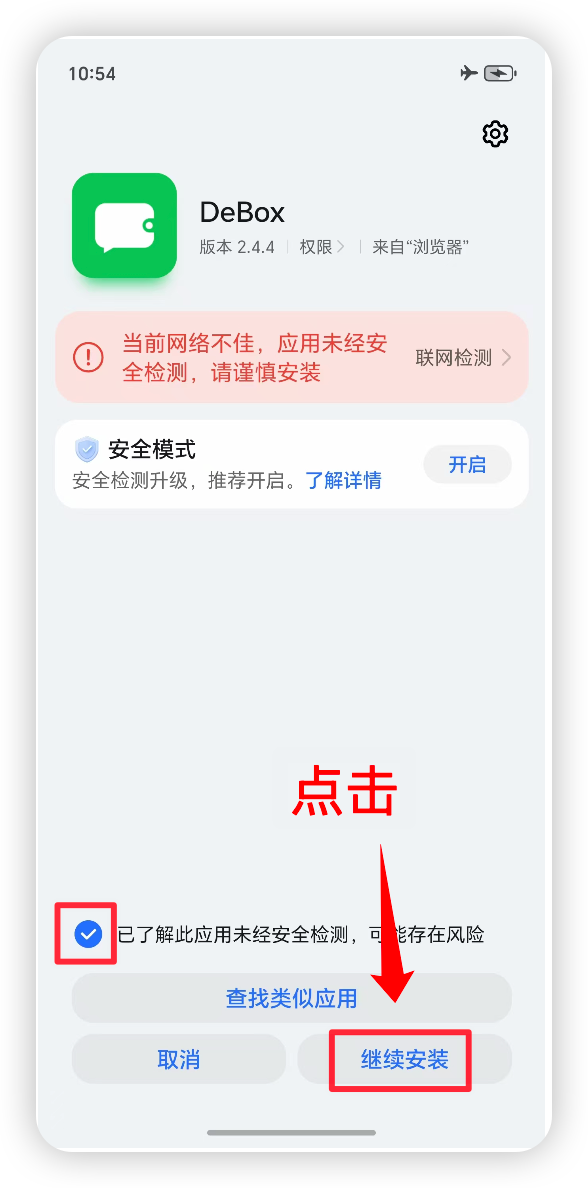
Do not install immediately after the download finishes. Enable Airplane mode or disconnect from the network, then open the installer and complete installation.
3. Register a DeBox account
After installation, reconnect to the network, open DeBox, and follow How to register a DeBox account? to register or sign in.
Frequently asked questions
Why install offline first?
Some devices block unknown-source installs while connected to the network. Installing offline can reduce blocking. If your device does not have this issue, you can install directly by following the system prompts.
What if installation fails?
Confirm that installing unknown apps is allowed, then try again. If it still fails, contact official support with your system version and a screenshot of the block message.