
How to download and install DeBox on iPhone?
What this guide covers
Help iPhone users confirm an available App Store region and complete searching for, downloading, and installing DeBox.
Requirements and before you start
- Use an iPhone with App Store installed.
- Sign in with an overseas Apple ID for an available region (a Hong Kong account is recommended).
- If you do not have an overseas Apple ID yet, complete How to register a Hong Kong Apple ID? first.
- App Store availability may change as listing status changes. The lists below reflect the current product guidance.
Supported countries and regions on iOS
Recommended regions (full feature access)
Turkey, Argentina, India, Taiwan, Vietnam, Kenya, Mexico, Hong Kong SAR, United Kingdom, France, South Korea, Australia, Brazil, Belarus, Nigeria, South Africa.
Available regions (most features)
Argentina, United Arab Emirates, Ireland, Estonia, Australia, Pakistan, Brazil, Belarus, Poland, Germany, Russia, France, Philippines, South Korea, Canada, Kenya, Malaysia, United States, Myanmar, Mexico, South Africa, Nigeria, Portugal, Japan, Switzerland, Taiwan, Thailand, Ukraine, Uzbekistan, Spain, Hong Kong, Singapore, New Zealand, India, Indonesia, United Kingdom, Vietnam, Turkey, Macao.
Steps
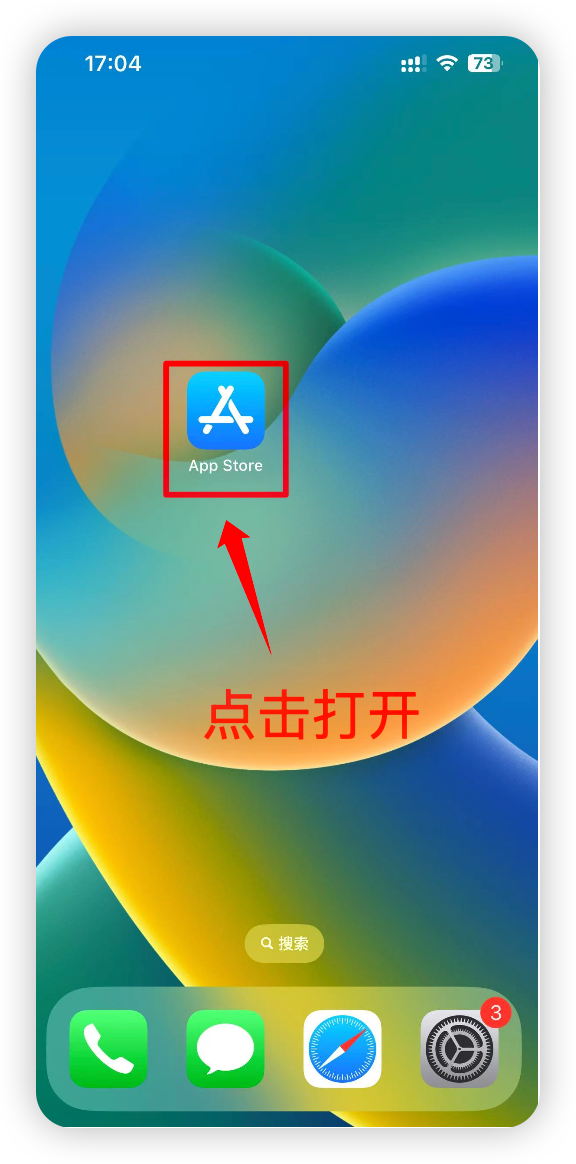
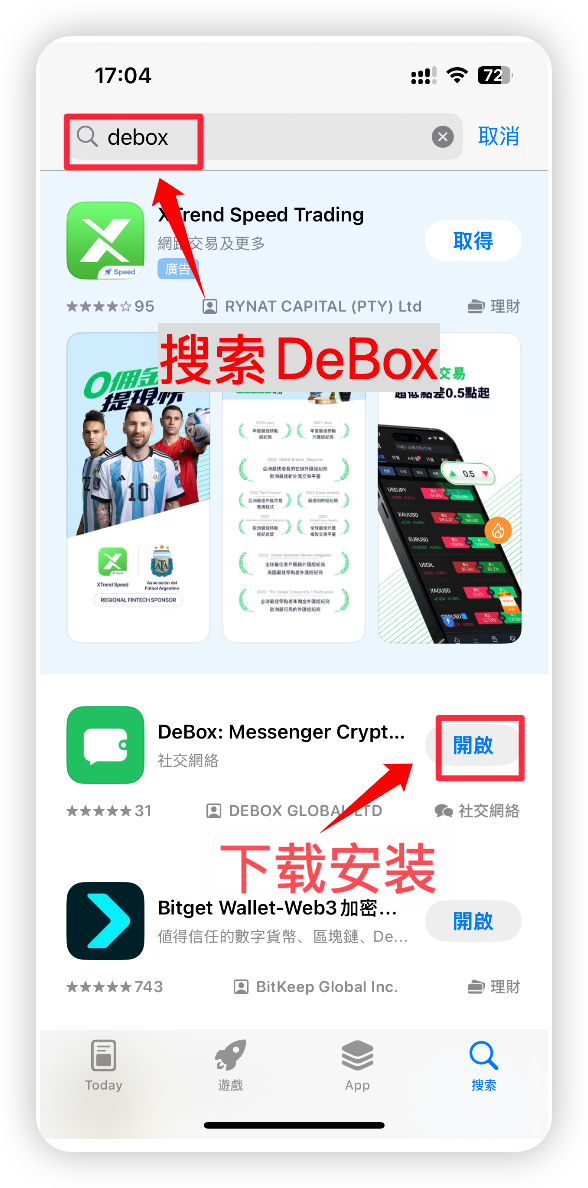
1. Open the App Store and search for DeBox
Confirm your Apple ID region is in one of the available lists above. Open the App Store, search for "DeBox", find the official app, tap download, and wait for installation to finish.
2. Register or sign in to your DeBox account
After installation, open DeBox and follow the prompts to register or sign in. For detailed steps, see How to register a DeBox account?.
Frequently asked questions
What if I cannot find DeBox in search?
Confirm the Apple ID signed in to the App Store is in the Available regions list and check that your network connection is working. Switching to a recommended-region account usually makes the full-feature version easier to find.
Do different region accounts have different features?
Yes. Recommended-region accounts usually have full feature access. Other available regions generally support most features. Actual availability depends on what is enabled in the app.
What if DeBox will not open after download?
Confirm installation finished, then restart the App Store or your device and try again. If the problem continues, contact official support with your system version, Apple ID region, and a screenshot of the error.