
How do I revoke token approvals?
What this guide covers
In DeBox Approval Check, review token approvals by chain, spot labels like Unlimited allowance, and revoke approvals you no longer need—reducing the risk of contracts moving tokens beyond what you expect.
Requirements and before you start
- You are signed in and on the wallet you want to inspect.
- After revoke, the DApp cannot operate that token until you approve again inside the DApp.
- Revoking may cost network fees; the page may show Limited-time free or use GasToken for batch revoke (follow the live UI).
Revoke only what you no longer need. Green DeBox tags are often platform-related—confirm you still use Swap, C2C, etc. before revoking. Official support will never ask for seed phrases, private keys, or PINs to “help revoke.”
Steps
1. Open Approval Check
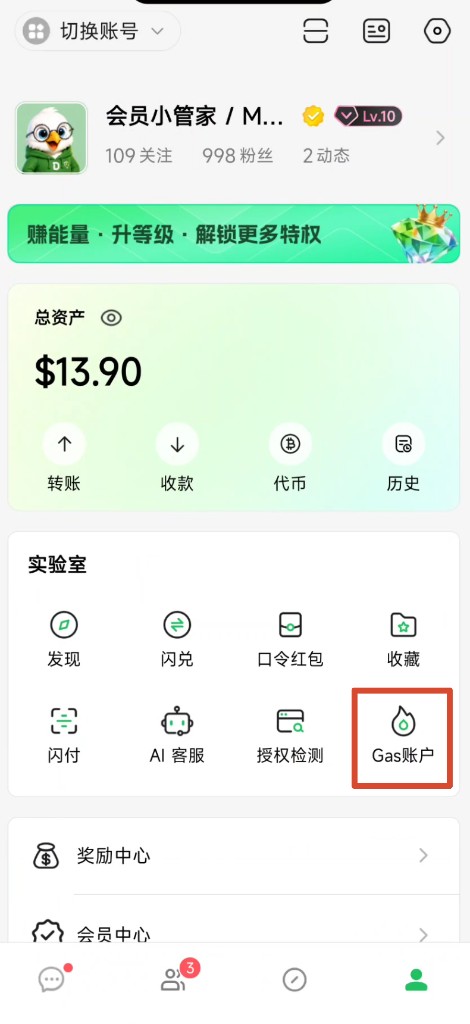
- Open bottom Me.
- Under Lab, tap Approval Check (授权检测).
2. Review approvals by chain
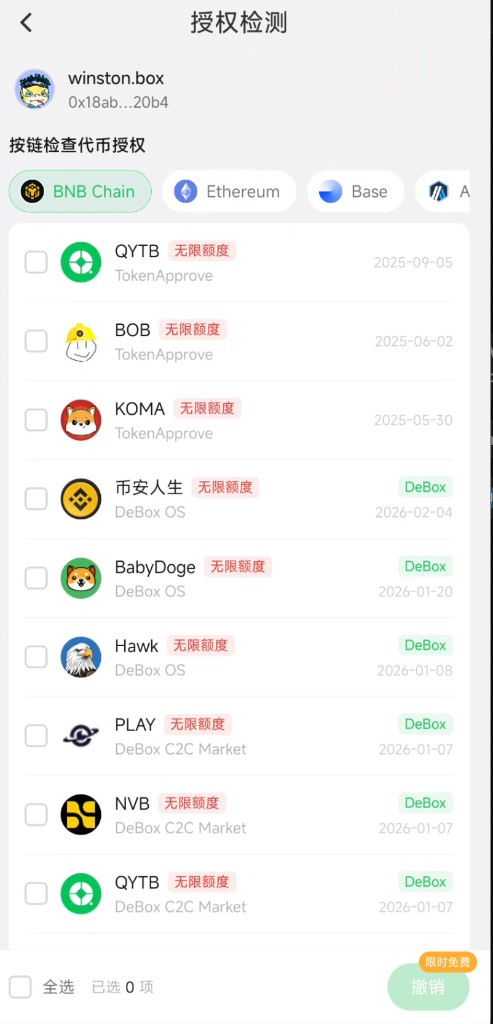
- Under Check token approvals by chain, select a network (e.g. BNB Chain, Ethereum, Base, Arbitrum).
- Wait for the list; empty chains may show no records.
- Review each row, for example:
- Token and spender (TokenApprove, DeBox OS, DeBox C2C Market, etc.)
- Red Unlimited allowance or a numeric allowance
- Risk-related labels (e.g. Unknown—follow the page)
- Date and optional green DeBox tag
3. Select approvals to revoke
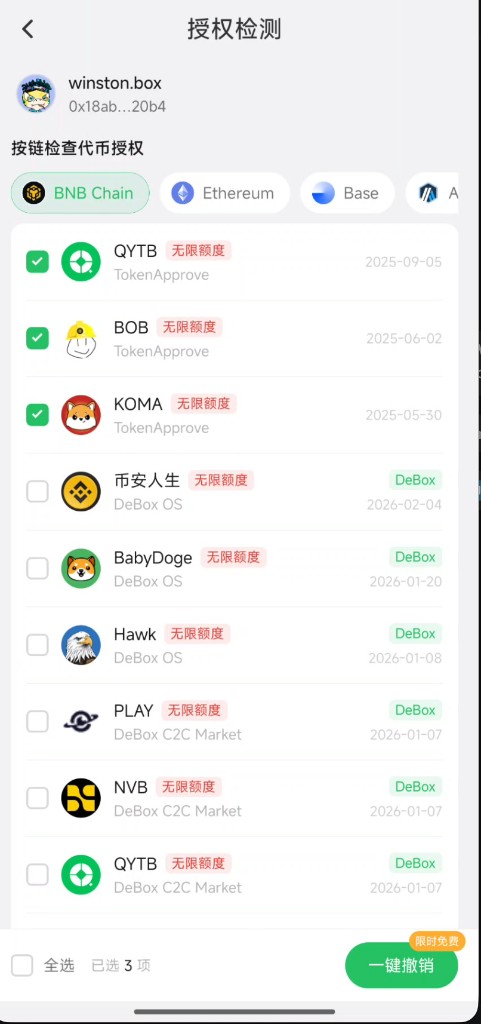
- Check one or more approvals; the footer shows N selected.
- Or use Select all carefully—avoid revoking DeBox approvals you still need.
- Tap Revoke / One-click revoke.
A Limited-time free badge may appear; pricing follows the live page.
4. Choose method and confirm
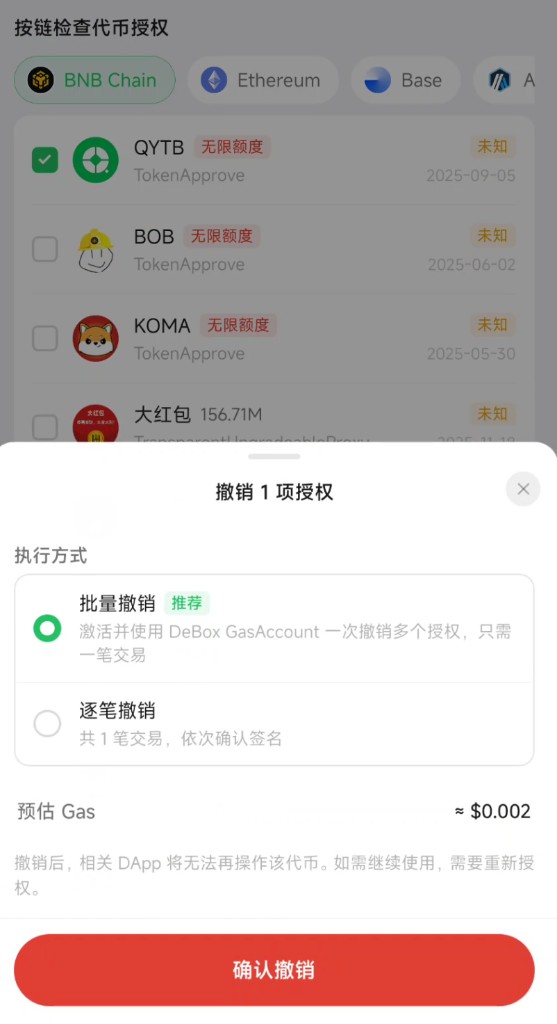
In the Revoke N approvals sheet:
- Read the note: after revoke, the DApp cannot operate the token; reuse needs a new approval.
- Choose execution mode (follow the page):
- Batch revoke (Recommended): activate and use DeBox GasToken to revoke multiple approvals in one transaction.
- One-by-one: N transactions, confirm signatures sequentially.
- Review Estimated Gas.
- Tap Confirm revoke and complete signing/verification.
- Check success/failure on the result; retry failed items if prompted.
If the chain does not support Smart Account batch revoke, the page may fall back to one-by-one.
Tips
- Unlimited allowance is not theft by itself, but the cap is high—revoke unused ones after review.
- Revoking still-used official features may force re-approval next time.
- If Gas is low, top up GasToken before batch revoke. See How do I use GasToken?.
- Avoid unlimited approvals on unfamiliar sites; verify contract and site first.
Common questions
Can I still use the DApp after revoking?
Yes, after you approve again inside that DApp.
Must I revoke unlimited allowances?
Not mandatory. If you stopped using the app or see risk labels, consider revoking. Trusted features you still use can stay—review periodically.
Should I revoke DeBox-tagged approvals?
Often platform-related. If you still use those features, keep them; revoke when unused.
What if revoke fails?
Canceled signature, congestion, insufficient Gas, or validation errors are common. Retry; top up Gas or native tokens if needed.
Why no records on a chain?
No approvals there, or the chain is not covered yet. Switch to another supported chain.